
 Need help?
Do you have a question about the Rowenta X-plorer 75 S+ Series and is the answer not in the manual?
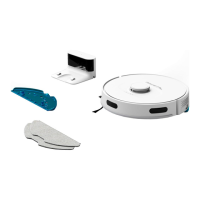
Detailed identification of robot parts and accessories across multiple languages.
Instructions for connecting the docking station, placing the robot, and initial charging.
Guide to downloading and installing the X-plorer Series 75&95 mobile application.
Explanation of robot indicator lights for connection and charging status.
Schedule for cleaning various robot components like dust bin, filter, and brushes.
Schedule for replacing worn-out parts such as filters and side brushes.
Solutions for when the robot fails to start or stops working unexpectedly.
Troubleshooting steps for charging, docking, and Wi-Fi connection issues.
Procedure for conducting a straight line test to measure dust collection performance.
 General
| Battery Life | Up to 90 minutes |
|---|---|
| App Control | Yes |
| Voice Control | Yes |
| Weight | 3.5 kg |
| Battery Type | Lithium-Ion |
| Runtime | Up to 90 minutes |
| Connectivity | Wi-Fi |
| Voice Assistant Compatibility | Amazon Alexa, Google Assistant |
| Type | Robot Vacuum |
| Charging Time | 4 hours |
| Brush Type | Side Brushes |


 To Next Page