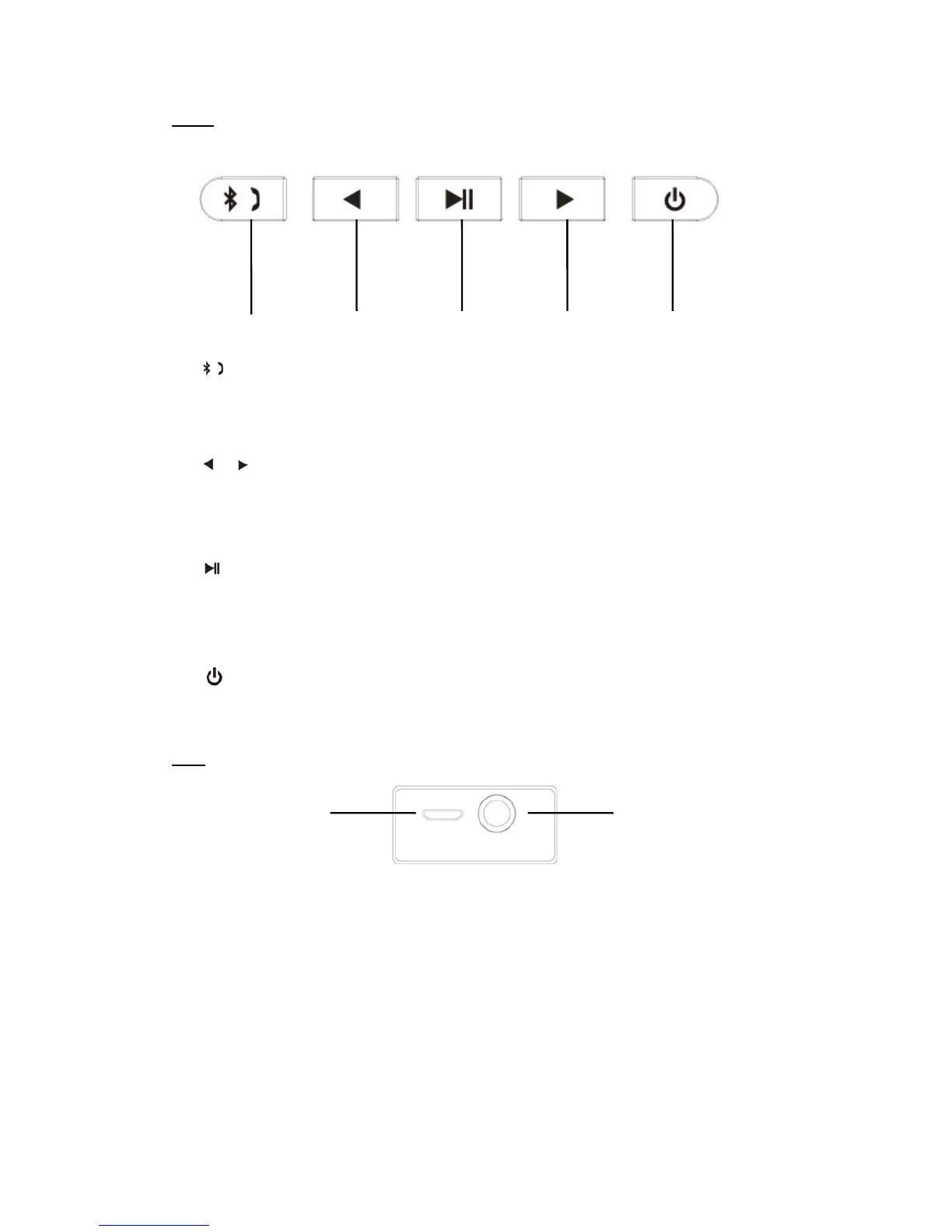
Keys
①
Short press:Pick up/Hand off the phone call
Long press: Disconnect the Bluetooth device forcibly
② /
Short press:Previous song/Next song (Bluetooth mode)
Long press: increase/decrease the volume
③
Short Press:Play/Pause (Bluetooth mode);
Long press: Switch the mobile phone call between the mobile and the speaker.
④
Long press: Power on/off the speaker
Slot
① Micro USB
Use the Micro USB cable included to connect the speaker to the computer/adaptor for
charging.
② AUX
Work as the external speaker by connecting to the audio source of computer, mobile,
PSP/MP3/MP4 etc.
① ② ②③ ④
① ②



 To Next Page