Need help?
Do you have a question about the RST METEO PROJECTION 705 and is the answer not in the manual?
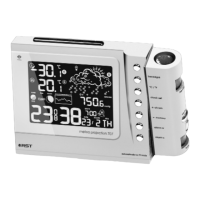
Covers time/temp projection, focus, rotation, and ON/OFF switch for the projector.
Details animated forecast icons, sensitivity settings, and barometer readings.
Includes radio-controlled clock, DST, and perpetual calendar functions.
Explains icons for indoor/outdoor temp, calendar, alarm, and time.
Details weather forecast symbols and digital barometer readings.
Covers moon calendar, time sync, backlight, and ice alert indicators.
Functions for setting and stopping alarms, including snooze.
Controls for backlight, temperature units, and time/calendar settings.
Buttons for sensor channel selection and temperature memory.
Guide to installing batteries and setting up the remote sensor unit.
Steps to resolve issues when the sensor fails to register with the main unit.
Instructions for activating and using the device's demonstration mode.
Procedure for manually setting the clock, calendar, and time zone.
Details on how the unit automatically syncs time via RCC radio signals.
Explanation of automatic daylight saving time transitions.
Manual time adjustments for regions without DST.
How to set and activate a one-time alarm.
Instructions for setting alarms that trigger only on weekdays.
Setting temperature to °C/°F and pressure to various units.
Interpreting forecast icons, trends, and pressure graphs.
Steps to calibrate digital and symbolic barometers for accuracy.
Details on dynamic and fixed color backlight modes.
Connecting the adapter and enabling the projection feature.
Rotating and focusing the projected display for optimal viewing.
Guidance on where and how to install the outdoor sensor.
Procedure for pairing multiple remote sensors with the main unit.
How the main unit cycles through multiple sensor channels.
Viewing max/min temperatures and change trends.
Notification for freezing temperatures.
Shows current moon phase and ocean tide status.
Indicates when batteries need replacement.
Technical information about the radio-controlled time signal.
Factors that can disrupt signal reception and how to mitigate them.
Guidelines for maintaining the device's appearance and function.
Precautions for battery installation, mixing, and disposal.
Details on temperature ranges, resolution, and radio frequency.
Information on power sources, device size, and included accessories.
Covers radio-controlled time, DST, and calendar functions.
Details on forecast icons, sensitivity, and display modes.
Information on various alarm types and freezing alerts.
Covers outdoor temperature transfer and transmission range.
Steps to power up the sensor and establish communication.
Instructions for demo mode and manual time configuration.
How the unit receives and processes radio-controlled time signals.
Information on displaying lunar phases and tide levels.
Managing snooze intervals for alarms.
Switching between Celsius and Fahrenheit for temperature readings.
Operating the display backlight and projector features.
Functionality for channel selection, sensor search, and setting increments.
Accessing max/min temperatures, clearing memory, and RCC mode control.
Adjusting parameters for the weather forecast function.
Steps to register additional remote sensors.
Viewing outdoor temperatures and signal intensity.
Display of ISO week number and low battery alerts.
 General
| Display | LCD |
|---|---|
| Weather Functions | Weather forecast |
| Temperature Measurement Range (Indoor) | 0°C to 50°C |
| Temperature Measurement Range (Outdoor) | -20°C to 60°C |
| Humidity Measurement Range | 20% to 95% |
| Power Source | Batteries |
| Features | Projection |
| Temperature Range | -20°C to 60°C (Outdoor), 0°C to 50°C (Indoor) |
| Humidity Range | 20% to 95% |
| Power Supply | 2 x AA batteries (not included) |

 To Next Page