EasyManua.ls Logo

RTI KX10 - User Manual

Default Icon
4 pages
Print Icon
To Next Page IconTo Next Page
Loading...
Quick Reference Guide
KX10
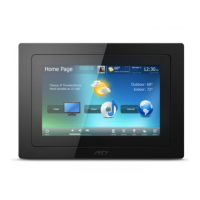
10” In-Wall Controller
A large 10.1” widescreen LCD with 1280x800 (WXGA) resolution and integrated capacitive touchscreen.
The completely customizable touchpanel provides simple, intuitive control with programming that can be tailored to
each installation.
• Display HD video via the integrated HDBaseT video input.
• Display analog video sources such as security cameras via the composite video input.
Ability to function as a part of an RTI control system for powerful two-way control or control devices directly through
built-in infrared and RS-232 ports.
The proximity sensor automatically wakes the unit as a user approaches.
• The ambient light sensor adjusts the backlighting.
Integrated 10/100 Base-T (with PoE+) and 802.11b/g/n wireless Ethernet for viewing video from IP security cameras,
enhanced two-way feedback and remote programming updates.
Video intercom capability with built-in camera, microphone, and speakers.
Powered by a separate power supply, an RTI CB8 connecting block or PoE+ (Power over Ethernet Plus).
Stylish low-prole faceplate available in white, black or brushed aluminum (ships with white).
Features:
With a commanding presence and sophisticated style, the KX10 delivers the world of control and automation in residential and
commercial settings. Simplifying and enhancing the control experience, the large 10” widescreen display is programmable to
the nest detail and provides ample screen real estate for the ultimate custom user interface. The KX10’s advanced engineering
makes it much more than a control device – it’s also a high-resolution display that offers a convenient place for viewing HD video,
checking security cameras, and answering the door via the built-in video intercom. Capable of direct control over devices, the
KX10 can also be incorporated into the powerful RTI ecosystem to take advantage of cutting-edge automation. With the KX10,
anything is possible with a simple touch.
Question and Answer IconNeed help?

Do you have a question about the RTI KX10 and is the answer not in the manual?

RTI KX10 Specifications

General IconGeneral
BrandRTI
ModelKX10
CategoryTouch Panel
LanguageEnglish

Summary

Installation and Operation

Mounting

Details for flush-mount, in-wall installation, including depth and template use.

Dimensions

Provides physical measurements of the KX10 unit from different views.

Power Options

Explains various methods for powering the KX10, including PoE and power supply.

Connection Types

Describes various input/output ports like Composite Video, HDBaseT, Ethernet, and RS-232.

Programming the Touchscreen Display

Touchscreen Display Programming

Overview of programming the display using RTI Integration Designer software.

Firmware and Software Updates

Instructions for updating firmware and software for the KX10 unit.

Control Panel Settings

Adjustable settings directly on the KX10, noting they can be overwritten by software.

Safety Suggestions and Warnings

General Safety Precautions

Guidelines for safe operation, including heat, power sources, and liquid entry.

Cleaning Instructions

Recommended method for cleaning the KX10 touchscreen and surfaces.

Contact and Support Information

Contacting RTI

Information on how to contact RTI for product updates and general inquiries.

Service and Technical Support

How to get assistance for problems and questions regarding RTI products.

Limited Warranty Details

Information on the product's warranty period and exclusions.

Regulatory Compliance Notices

Federal Communications Commission (FCC) Notice

FCC compliance statement regarding digital device interference.

Industry Canada Compliance Statement

Industry Canada compliance statement for license-exempt devices.

Declaration of Conformity

Information on the product's Declaration of Conformity.

Related product manuals