ba5sba@163.com
QUICK START GUIDE
This page is a guide aimed at helping anyone set up a cheap radio scanner based on the
RTL-SDR
software defined radio as fast as possible on a Windows system.
http://www.rtl-sdr.com/rtl-sdr-quick-start-guide/
SDRSharp Guide
A good guide to learning how to use SDRSharp and what all the options do can be found here.
http://www.atouk.com/SDRSharpQuickStart.html
Another great illustrated guide can be found here.
http://tylerwatt12.com/tips-for-using-sdr/
RTL-SDR.COM
THE BIG LIST OF RTL-SDR SUPPORTED SOFTWARE
http://www.rtl-sdr.com/big-list-rtl-sdr-supported-software/
Antenna Long Wire con Balun 9:1
http://www.radioamatoripeligni.it/i6ibe/balun9a1/balun9a1.htm
Alternative Installation Procedure for RTL.SDR and HDSDR
http://www.hamradioscience.com/alternative-installation-procedure-for-rtl-sticks-and-hdsdr/
Receiving LF/MF/HF (0 - 30 MHz)
The antenna must be connected to the HF input port
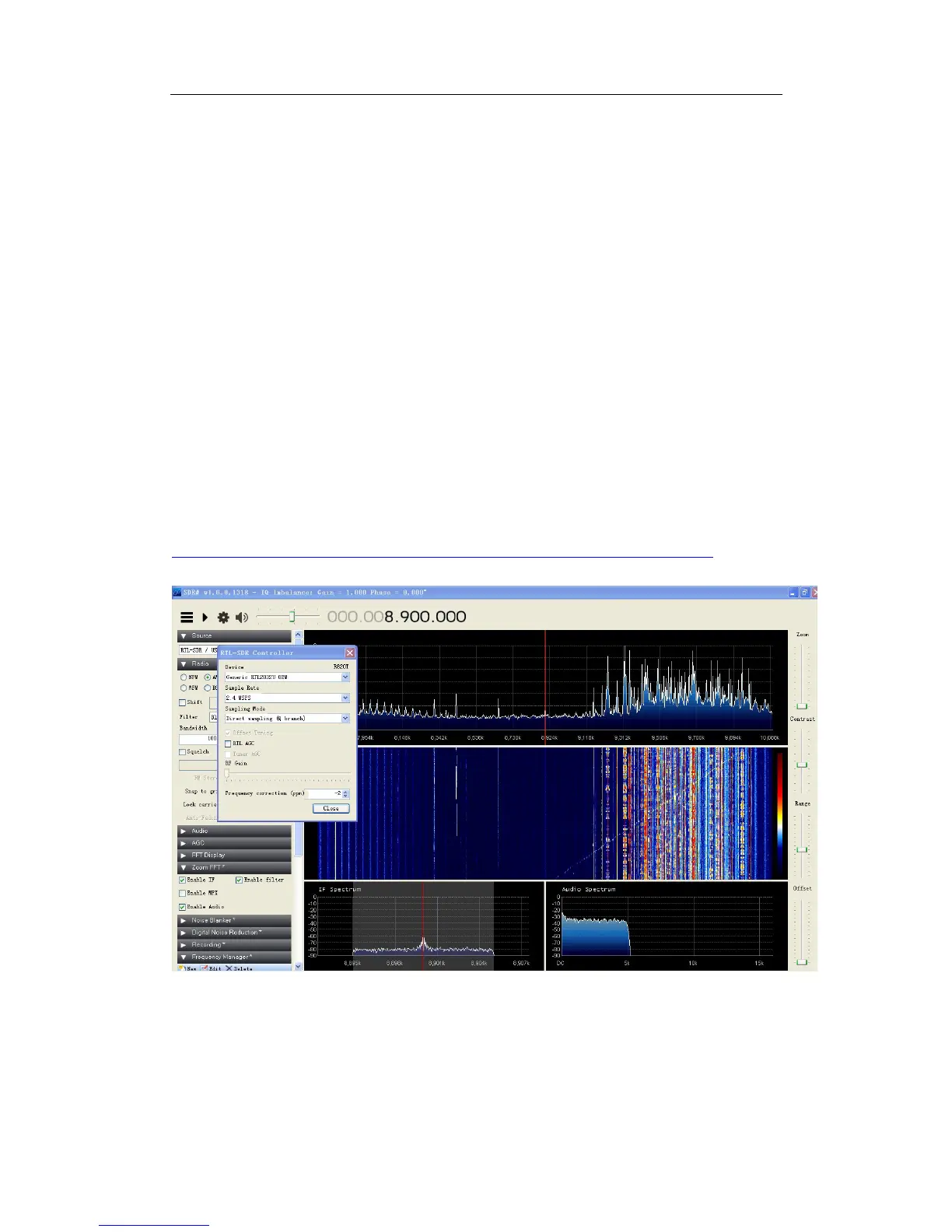
The program of SDR # with RTL configured to direct sampling of the signal Q, as
shown in the following figure:


 To Next Page
 Loading...