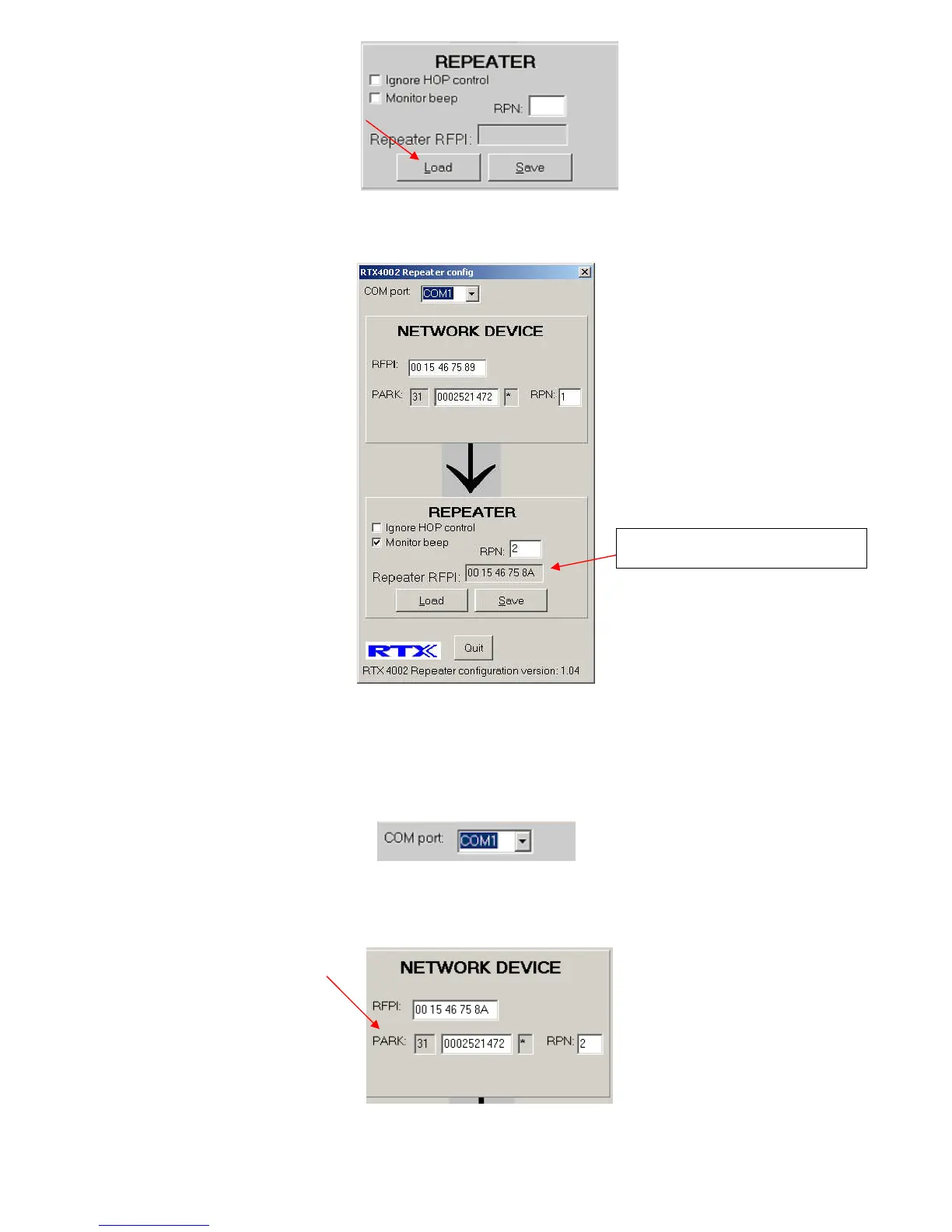
Fig.5
8. The Base station RFPI and the repeater RFPI is shown in the RTX4002 repeater config program. Remember the
Repeater RFPI, the repeater RFPI is going to bee used step11. Fig.6
Fig.6
9. Disconnect the first repeater and connect the second repeater to the laptop. Start the RTX40042 Repeater config
program.
10. In the COM port drop down box select the COM port where the single wire bus is connected. Fig. 7.
Fig.7
11. Enter RFPI off the first repeater in the “NETWORK DEVICE” window. Note the value in PARK and RPN, will
automatic update when you click on another box. Fig.8
Fig.8
12. Mark the “Ignore HOP control” check box. Fig.9
The first repeater RFPI


 To Next Page