EasyManua.ls Logo

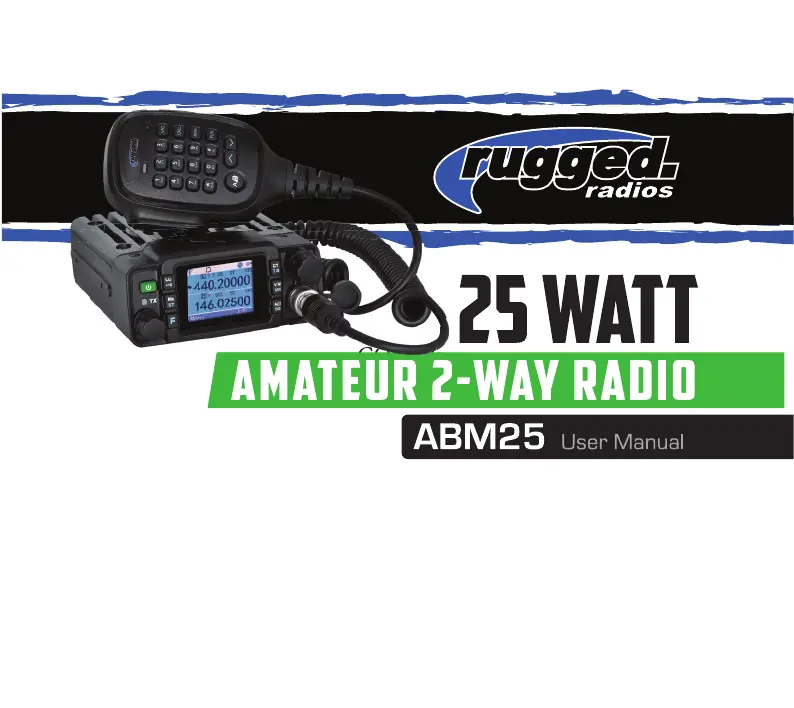
Rugged Radios ABM25 - User Manual

Rugged Radios ABM25
52 pages
Print Icon
To Next Page IconTo Next Page
Loading...
COVER
COVER

Questions and Answers

  • W
    williamgutierrezAug 1, 2025
    Why no sound comes from Rugged Radios ABM25 speaker?
    • Y
      youngbethAug 1, 2025
      If no sound is coming from the speaker, it might be due to a muted squelch. Try decreasing the squelch level. Alternatively, the Tone or CTCSS/DCS squelch might be active; in that case, turn CTCSS or DCS squelch off.
  • T
    Timothy AcevedoAug 5, 2025
    What to do if PTT key is pressed but transmission does not occur on Rugged Radios ABM25?
    • C
      Christina FerrellAug 6, 2025
      If the PTT key is pressed but transmission doesn't occur, check your microphone and antenna connections. Ensure the microphone is properly connected and that the antenna connection is secure.
  • A
    ahuffAug 10, 2025
    What to do if Rotating Dial will not change memory channel on Rugged Radios Two-Way Radio?
    • S
      Sean ScottAug 10, 2025
      If the rotating dial won't change the memory channel, the transceiver might be in CALL mode. Press the VFO or memory mode to resolve this.
  • C
    curtis92Aug 14, 2025
    What to do if key and dial do not function on Rugged Radios Two-Way Radio?
    • P
      Patricia WilkersonAug 14, 2025
      If the key and dial do not function, the key-lock function may be activated. Cancel the key-lock function.
  • Y
    Yolanda LucasAug 18, 2025
    How to fix dim display on Rugged Radios ABM25?
    • P
      pattersonbryanAug 19, 2025
      If the display is too dim, please make the dimmer setting “LAMP-H”.
  • L
    Laurie QuinnAug 23, 2025
    What to do if fuse is blown on Rugged Radios ABM25?
    • M
      Megan BarkerAug 23, 2025
      Check and solve the problem that resulted in the blown fuse, then replace the fuse with a new one.
  • F
    fsmithAug 27, 2025
    Why nothing appears on Rugged Radios ABM25 Two-Way Radio display?
    • M
      matthew59Aug 28, 2025
      If the power is on but nothing appears on the display, the + and - polarities of the power connection may be reversed. Connect the red lead to the plus terminal and the black lead to the minus terminal of the DC power supply.

Summary

User Safety Information

Package Includes

Lists all the items included in the radio package for user reference.

Main Features

Initial Installation

Mobile Installation

Details the process for mounting the radio unit securely within a vehicle.

DC Power Cable Connection

Fixed Station Operation

Replacing Fuses

Antenna Connection

Accessories Connections

External Speaker

Details how to connect an optional external speaker to the radio.

Microphone

Getting Acquainted

Front Panel Operation

Overview of the radio's front panel controls and display elements.

Key Functions and Operations

Display

Rear Panel and Ports

Microphone Operation

Basic Operation

Switching the Power On;Off

Instructions on how to turn the radio unit on and off.

Adjusting the Volume

How to control the audio output level of the radio.

Radio Mode and Frequency Adjustment

Switch between VFO and Channel Mode

Explains how to toggle between frequency (VFO) and memory channel modes.

Adjusting Frequency;Channel via Selector Knob

Details how to change frequencies and channels using the main dial.

Receiving Signals

How to receive signals and interpret display indicators.

Transmitting Audio

Instructions on how to transmit audio and understand transmission indicators.

Transmission Signaling and Channel Management

Transmitting Tone-Pulse

How to transmit a tone-pulse signal.

Transmitting Optional Signaling

How to transmit DTMF, 2Tone, or 5Tone signaling.

Channel Edit Procedure

Procedure for editing and storing radio channels.

Channel Delete Procedure

Steps to remove a memory channel from the radio.

Shortcut Operations

Frequency Scan Function

How to initiate and use the frequency scanning feature.

Offset Direction and Frequency Setup

Explains how to configure repeater offsets for transmitting and receiving.

Composite Key Operations

Beep Tone Function (FUN+0)

How to enable or disable the keypad beep tone.

Channel Scan Function (FUN+1)

Detailed steps for performing a channel scan.

Frequency Step and CTCSS;DCS Settings

Frequency Channel Step Setup (FUN+2)

How to set the frequency step size for VFO mode.

CTCSS;DCS Frequency Setting (FUN 3;Tone)

How to configure CTCSS/DCS tones for communication.

Time-out Timer (TOT) Setting (FUN+4)

How to set the Time-out Timer (TOT) for transmissions.

Function Key Settings (FUN+5 to FUN+8)

Keypad Lockout (FUN+5)

How to lock or unlock the radio's keypad to prevent accidental presses.

Squelch Level Setting (FUN+6;A;B)

How to adjust the squelch level to filter out background noise.

High;Mid;Low Power Selection (FUN+8)

How to select the transmit power level (High, Mid, Low).

Quick Channel Operations

Channel Deleted Quickly (FUN+VFO)

Quick method to delete memory channels.

Channel Copied Quickly (FUN+Call)

Quick method to copy channel information.

Talk Around Function (FUN+*)

How to enable Talk Around mode for direct communication.

Reverse Frequency Function (FUN+#)

How to swap transmit and receive frequencies for repeater use.

Menu Structure Overview

Signaling and Scan Options

Configuration for signaling types and scanning features.

General Radio Settings

Basic settings like signal, squelch, power, and bandwidth.

Advanced Menu Settings: DTMF, Tones, and Timers

DTMF and 5 Tone ID Configuration

Settings for DTMF ID and 5Tone ID.

DTMF Sending Time and TOT

Configuration for DTMF sending duration and Time-out Timer.

Squelch, Scan, and Lock Settings

Settings for squelch level, scan mode, and busy lock.

Display, Power, and Key Function Settings

Display and Power Management

Settings for backlight, display mode, and auto power off.

Key Function Assignment (Part 1)

Programming custom functions for keys like Lo, Mz, CT, V/M, AB.

Menu Operation Guide

Step-by-step guide for navigating and operating the radio's menu.

More Menu Settings: Signal and Mode Configuration

Signal and Bandwidth Settings

Settings for signal select, bandwidth selection, and CTCSS/DCS.

Squelch Mode and Busy Lock

Configuration for squelch mode and busy channel lockout.

Menu Settings: ID, Timer, and Squelch

DTMF and Tone ID Display

Functions to display DTMF ID and 5 Tone ID.

Time-out Timer and Auto Power Off

Settings for the Time-out Timer and auto power-off feature.

DTMF Sending Time and Squelch Level

Configuration for DTMF sending time and squelch level adjustment.

Menu Settings: Scan, Display, and Backlight

Scan Mode and Display Options

Settings for scan mode and display mode selection.

TBST Frequency and Backlight

Configuration for TBST frequency and display backlight.

Menu Settings: Step, Skip, and Key Functions

Step, Skip, and Sub Screen Settings

Settings for frequency step, channel skip, and sub screen display.

Key Function Programming (Part 2)

Assigning functions to keys (e.g., KeyFun Lo, Mz, CT, V/M, AB).

Menu Settings: Key Functions and Display Types

Key Function Programming (Part 3)

Assigning functions to keys (e.g., MHZ, Tone, V M).

Instrument and TX Channel Display

Settings for instrument screen and TX channel display type.

Menu Settings: Advanced Functions

Transmit Disable and Reset

Settings for transmit disable and factory reset operations.

GPS and Sub Screen Ring

Configuration for GPS reception, transmission, and sub-screen ring.

Key Setting and Operations

Primary Key Functions (A;B, LOW, MONI, SCAN)

Detailed functions for A/B, LOW, MONI, and SCAN keys.

Secondary Key Functions (TONE, M;V, MHZ)

Detailed functions for TONE, M/V, and MHZ keys.

MUTE Key and Microphone Keys

DTMF Settings and Operation

Tone Operation Modes

2 Tone Encoding and Decoding

Procedures for encoding and decoding 2-Tone signals.

5 Tone Encoding and Decoding

Procedures for encoding and decoding 5-Tone signals.

Simple Trouble Shooting

Specifications

General Specifications

General specifications including frequency, channels, and dimensions.

Receiver Specifications

Technical specifications for the radio's receiver performance.

Transmitter Specifications

FCC Licensing Information

Rugged Radios ABM25 Specifications

General IconGeneral
BrandRugged Radios
ModelABM25
CategoryTwo-Way Radio
LanguageEnglish

Related product manuals