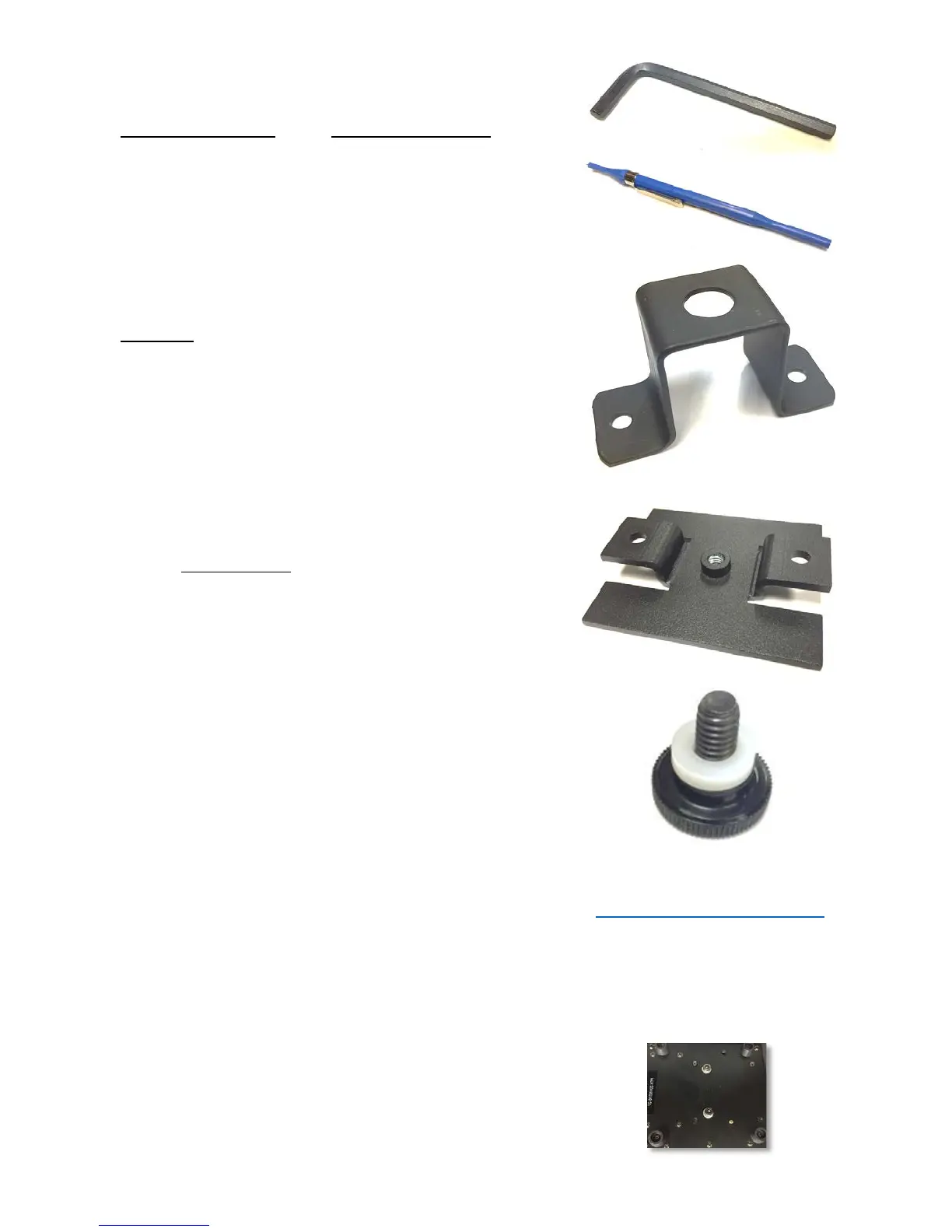
5mm Allen wrench for removing and reseating the two
Allen screws on the bottom of the fixture. Select either the
Truss Mount bracket or the Tripod/Stand Bracket.
Small double-ended screwdriver, often called a “tweaker”,
for adjusting voltage provided from the PTX chassis to the
camera you’re using.
U-bracket for truss mounting of the fixture.
¼ x 20 threaded plate for tripod/stand mounting.
Use the two included 5mm Allen screws to secure the
plate to the bottom of the PTX.
¼ x 20 x ½ thumb screw with washer for attaching
camera to tilt plate through the horizontal adjustment slot.
The Ctrl+R User Guide, PTX QUICK SETUP Guide, Model 1
and 2 Specifications and VISCA/DMX Connectivity sheets
are available on the PTX web page.
www.RUSHWORKS.tv/ptx.htm
Mounting the U-Bracket or Tripod Mount to the PTX Base
On the bottom of the Model 1 there are two 5mm Allen
screws.



 To Next Page