EasyManua.ls Logo

Ryobi FVG51 - User Manual

Ryobi FVG51
24 pages
Print Icon
To Next Page IconTo Next Page
Loading...
OPERATOR’S MANUAL
MANUEL D’UTILISATION
MANUAL DEL OPERADOR
USB LITHIUM
POWER SCRUBBER
BROSSEUSE ÉLECTRIQUE
DE USB AU LITHIUM
LIMPIADOR ELÉCTRICO
DE IONES DE LITIO USB
FVG51
WARNING: To reduce the risk
of injury, the user must read and un-
derstand the operator’s manual before
using this product.
SAVE THIS MANUAL FOR
FUTURE REFERENCE
ADVERTENCIA: Para reducir
el riesgo de lesiones, el usuario debe leer
y comprender el manual del operador
antes de usar este producto.
AVERTISSEMENT :
Pour
réduire les risques de blessures,
l’utilisateur doit lire et veiller à bien
comprendre le manuel d’utilisation avant
d’employer ce produit.
GUARDE ESTE MANUAL
PARA FUTURAS CONSULTAS
CONSERVER CE MANUEL
POUR FUTURE RÉFÉRENCE
TABLE OF CONTENTS
****************
Important Safety Instructions ......... 2-3
Power Scrubber Safety Warnings .. 3-4
Symbols ..............................................4
Features ..............................................5
Assembly ............................................ 5
Operation ........................................ 5-6
Maintenance ....................................... 7
Illustrations ..................................... 8-9
Parts Ordering
and Service .........................Back page
TABLE DES MATIÈRES
****************
Instructions importantes concernant
la sécurité ....................................... 2-3
Avertissements de sécurité pour
la brosseuse électrique .................. 3-4
Symboles ........................................ 4-5
Caractéristiques .................................5
Assemblage ........................................5
Utilisation ....................................... 5-7
Entretien .............................................7
Illustrations ..................................... 8-9
Commande de pièces
et dépannage ....................Page arrière
ÍNDICE DE CONTENIDO
****************
Importantes instrucciones de
seguridad ....................................... 2-3
Advertencias de seguridad del
limpiador eléctrico ............................ 4
Símbolos ........................................ 4-5
Características .................................. 5
Armado ............................................. 5
Funcionamiento ............................. 6-7
Mantenimiento .................................. 7
Illustraciones .................................. 8-9
Pedidos de piezas
y servicio .......................Pág. posterior

Question and Answer IconNeed help?

Do you have a question about the Ryobi FVG51 and is the answer not in the manual?

Overview

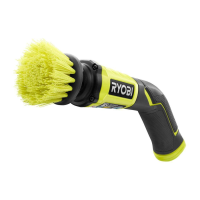
The Ryobi FVG51 USB Lithium Power Scrubber is a versatile cleaning tool designed for both interior and exterior surfaces. It is a cordless, battery-operated device, emphasizing portability and ease of use without the need for an electrical outlet during operation.

Function Description:

The power scrubber is primarily used for cleaning various surfaces. It features a rotating brush accessory that, when combined with appropriate cleaning solutions, helps to remove dirt, grime, and tough stains. The device offers two speed settings: a normal operating speed and a "MAX" speed for more intensive cleaning tasks. The selection of brush accessories allows for tailored cleaning based on the surface type and the level of dirt, ensuring efficient cleaning while protecting delicate surfaces.

Important Technical Specifications:

  • Motor: 4 V DC
  • No Load Speed (revolutions per minute): Approximately 175/min (RPM) Low, 300/min (RPM) Max. This indicates the rotational speed of the brush accessory, with a higher RPM for more powerful scrubbing.
  • Waterproof Rating: IPX7. This rating signifies that the product's enclosure provides environmental protection, allowing it to withstand immersion in water up to 1 meter for up to 30 minutes. This feature is crucial for a cleaning tool that will likely encounter water during use.
  • Battery: The device uses lithium-ion (Li-ion) batteries. It is designed to be used with specifically designated battery packs and charged with the manufacturer-specified charger.
  • Warranty: The product is covered under a 2-year limited warranty, requiring proof of purchase.

Usage Features:

  • Cordless Operation: Being a battery-powered tool, it offers freedom of movement without the constraint of power cords, making it suitable for various locations.
  • Brush Accessory Selection: The scrubber comes with different brush accessories, categorized by bristle hardness for various cleaning tasks:
    • Soft Bristle (Blue): For light-duty cleaning.
    • Medium Bristle (Green): For general-purpose cleaning (included with the scrubber).
    • Hard Bristle (Gray): For heavy-duty cleaning. Users are advised to select the appropriate brush accessory based on the application and surface to be cleaned to ensure efficiency and prevent damage. Testing the brush in an inconspicuous area before a full project is recommended.
  • Speed Control: The device has a MAX button to switch between normal operating speed and a higher "MAX" speed for tougher stains.
  • LED Light Functions: An LED light indicates the tool's status when powered on, providing feedback on:
    • Operational: Solid Green
    • Low Battery (5-25%): Solid Red
    • Low Battery (0-5%): Flashing Red (3 Flashes)
    • Over Current Protection: Flashing Red (6 Flashes)
    • Over Temperature Protection: Flashing Red (9 Flashes)
  • Battery Installation/Removal: The battery pack is installed by unscrewing and removing the battery cap, inserting the pack, and then securely screwing the cap back on. The cap is securely closed when an alignment triangle on the tool lines up with an alignment rectangle on the cap. Removal is the reverse process.
  • Accessory Installation/Removal: Brush accessories are inserted into the collet by pushing them in as far as possible and removed by pulling them straight out.
  • Operation: To start, fully depress the on/off button. The brush accessory will spin continuously when the motor is on. The unit should be moved forward and back over the surface to be cleaned, with slow movements recommended for learning and tough stains. Avoid pressing down on the unit or keeping it in one place for extended periods to prevent surface damage. To stop, fully depress the on/off button and wait for the brush accessory to stop spinning.
  • Safety Precautions: The manual emphasizes several safety warnings, including:
    • Always remove the battery pack when assembling, adjusting, cleaning, or not in use to prevent accidental starting.
    • Do not modify the product or use unrecommended attachments.
    • Do not allow familiarity with the product to lead to carelessness.
    • Store idle power tools out of reach of children and untrained users.
    • Maintain power tools and accessories, checking for misalignment or damage.
    • Use the power tool, accessories, and tool bits according to instructions and working conditions.
    • Keep handles and grasping surfaces clean and free from oil and grease.
    • Recharge only with the specified charger and use only designated battery packs.
    • Keep battery packs away from other metal objects to prevent shorting.
    • Avoid contact with liquid ejected from the battery under abusive conditions; flush with water if contact occurs and seek medical help if it contacts eyes.
    • Do not use damaged or modified battery packs or tools.
    • Do not expose battery packs or tools to fire or excessive temperatures.
    • Do not charge battery tools in damp or wet locations or outside specified temperature ranges.
    • Never service damaged battery packs; only the manufacturer or authorized providers should do so.
    • Ensure the brush accessory is correctly installed before use.
    • Do not force the scrubber into tight spaces or touch rotating accessories during use.
    • Do not place battery tools or batteries near fire or heat.
    • Do not crush, drop, or damage battery packs. Properly dispose of damaged batteries.
    • Avoid using cordless products near open flames due to explosion risk.
    • Seek medical attention for battery leakage if it contacts skin or eyes.

Maintenance Features:

  • General Maintenance: Avoid using solvents for cleaning plastic parts, as many plastics can be damaged by commercial solvents. Use a clean cloth to remove dirt, dust, oil, and grease.
  • Brush Accessory Cleaning: Thoroughly rinse the brush accessory before and during use, and clean it thoroughly after use. Allow it to dry and store it without bending the bristles to prevent damage to delicate surfaces.
  • Replacement of Brush Accessory: After extended use, the brush accessory may wear out and need replacement. If damaged due to a fall, it should also be replaced. Refer to the "Installing/Removing Brush Accessories" section for instructions.
  • Repair: When servicing, use only identical replacement parts to ensure safety. Repairs should be performed by a qualified repair person.
  • Battery Care: Do not allow brake fluids, gasoline, petroleum-based products, penetrating oils, etc., to come into contact with plastic parts, as chemicals can damage or destroy plastic, leading to serious personal injury.

Ryobi FVG51 Specifications

General IconGeneral
BrandRyobi
ModelFVG51
CategoryScrubber
LanguageEnglish

Related product manuals