110Instruments and controls
Functions
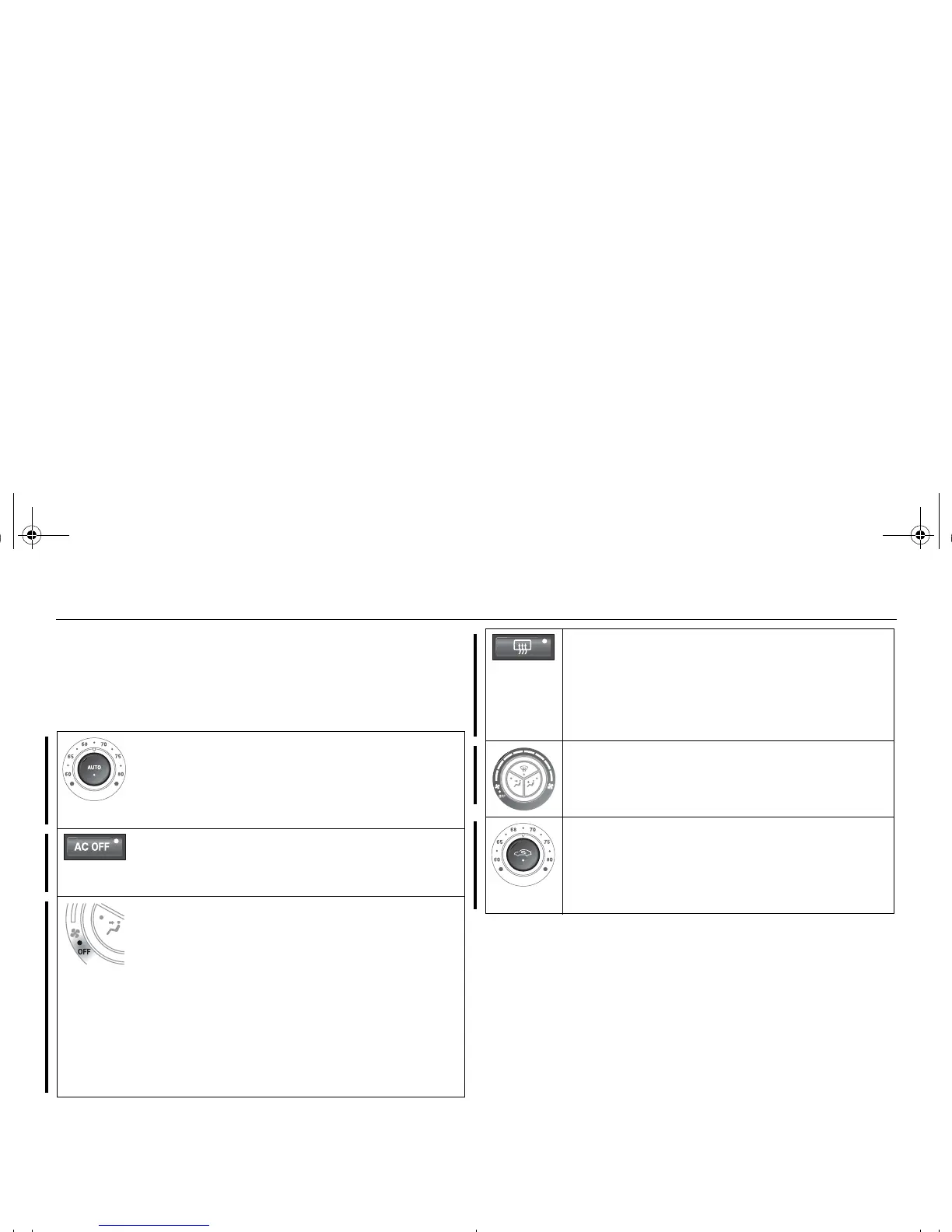
Pressing AUTO will cancel all manual settings.
If a manual function is selected, it will be locked in but other functions
will be controlled automatically.
The selected temperature is always maintained automatically.
Temperature, air distribution, fan speed and recir-
culation will be controlled automatically.
Pressing AUTO once will cancel all previous manual
air distribution selections.
When the engine is started, the ACC system will be in
AUTO mode.
The A/C-compressor is turned off.
The incoming air is not cooled or dehumidified. Tem-
perature, air distribution, fan speed and recirculation
will be controlled automatically.
Turn the fan control anticlockwise until "OFF" lights
up.
ACC-system OFF.
Fan OFF.
A/C-compressor OFF.
Air distribution selections locked in current settings.
Recirculation can be selected manually.
Heating 3 of the front seats is deactivated.
Pressing AUTO-button will put the system into auto-
matic mode.
Reactivation by turning the fan control clockwise one
click causes the system to resume any manual selec-
tions.
The rear window and door mirror heating is controlled
manually.
Deactivate the heating as soon as the rear window is
clear of ice and misting to avoid imposing a heavy
load on the battery longer than necessary. Note, how-
ever, that heating will deactivate automatically after a
set time.
Turn the fan control to increase fan speed.
If fan speed 0 is selected, the A/C-compressor will be
disengaged and the indicator on the AC OFF button
will illuminate.
Recirculation is controlled manually to optimise cool-
ing although it can also be switched on and off man-
ually.
Recirculation does not appreciably change the air
quality but it can be useful to switch it on to prevent
unpleasant smells from entering the cabin.
93_U S_M 07.book Page 110 W ednesday, April 12, 2006 9:30 AM











 To Next Page