7000 108-311 B
R4 IAIS System: Short Instruction guide for Inland AIS Operation
General Operation
Turning On and Off
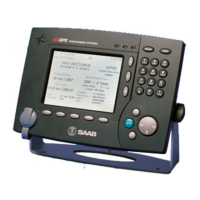
To turn the R4 display unit on, press the POWER key. To turn the display off,
hold the POWER key down for three seconds.
Acknowledge active alarms
Use the ENTER key to acknowledge alarm indications on the display.
Changing parameters
Use the ARROW KEYPAD to step between parameters in a view. To change a
parameter, press the ENTER key. Existing values can be erased using function
key Backspace. When the parameter has been set to its desired value press the
ENTER key again. When all parameters in the view have desired values, press
function key Apply and Exit. A password may now be required. If so, press
function key Capslock, enter ‘user’ and finally press the ENTER key.
Inland AIS Mode
Operation as an Inland AIS transponder system is indicated by an IAIS
icon in the status bar at the top of the display. To enable Inland AIS Mode,
go to the System Mode view by pressing the MODE key followed by
function key CONFIG, the PAGE key and then function key System Mode.
The Inland AIS Mode Enabled parameter shall be set to ‘Yes’.


 To Next Page

 General