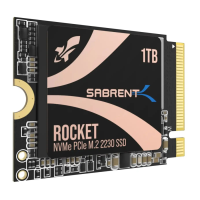
Need help?
Do you have a question about the Sabrent Rocket Series and is the answer not in the manual?
Lists essential tools and components for M.2 SSD installation.
Instructions on how to enter and navigate the computer's BIOS settings.
Configure boot priority, save settings, and power down the PC safely.
Guidance on finding the specific M.2 slot location on your motherboard.
Step-by-step instructions for inserting the M.2 SSD into the motherboard slot.
Fasten the M.2 SSD and initiate the Microsoft Windows installation process.
Guide to initializing and formatting the M.2 SSD as a secondary storage drive within Windows.
 General
| Form Factor | M.2 2280 |
|---|---|
| Capacity | 256GB, 512GB, 1TB, 2TB, 4TB |
| Sequential Read Speed | Up to 3400 MB/s |
| Sequential Write Speed | Up to 3000 MB/s |
| MTBF | 1, 800, 000 hours |
| Interface | NVMe PCIe Gen3 x4 |
| Model | SB-ROCKET-NVMe |
| Type | SSD |
| Warranty | 5 years |
| NAND | 3D NAND |
| Controller | Phison E12 |

 To Next Page