15
PROGRAMMING THE COFFEE MACHINE
Press ESC (espresso coffee) in order to exit the menu.
The machine is now in normal mode.
Selecting menu items
Select the different menu items by means of the keys
. The key MENU' allows you to activate the
selected item. In a menu item, it is possible to modify
the setting by using the keys
. The key
MENU' allows you to memorise the selected setting.
Energy saving
Move the asterisk to the menu item Energy saving
using the keys
and press MENU' to acti-
vate it. The machine is now in the Energy saving
mode. Press the MENU' key in order to go back to
the normal mode.
Rinsing cycle function
If the rinsing cycle function is activated, the machine
that is started after a period of inactivity starts a water
rinsing cycle to the coffee dispensing units automati-
cally.
Move the asterisk to the menu item Rinsing cycle
using the keys
and press MENU' to acti-
vate it.
The display shows:
"RINSING "
"ON "
You can modify the chosen item with the key
:
on, off.
Selecting the language
Move the asterisk to the menu item Language using
the keys
and press MENU to activate it. The
display shows:
"LANGUAGE "
"ENGLISH "
The keys
allow you to change the set op-
tions: italiano, français, Deutsch,
neerlandais,português, español, english.
Water hardness adjustment
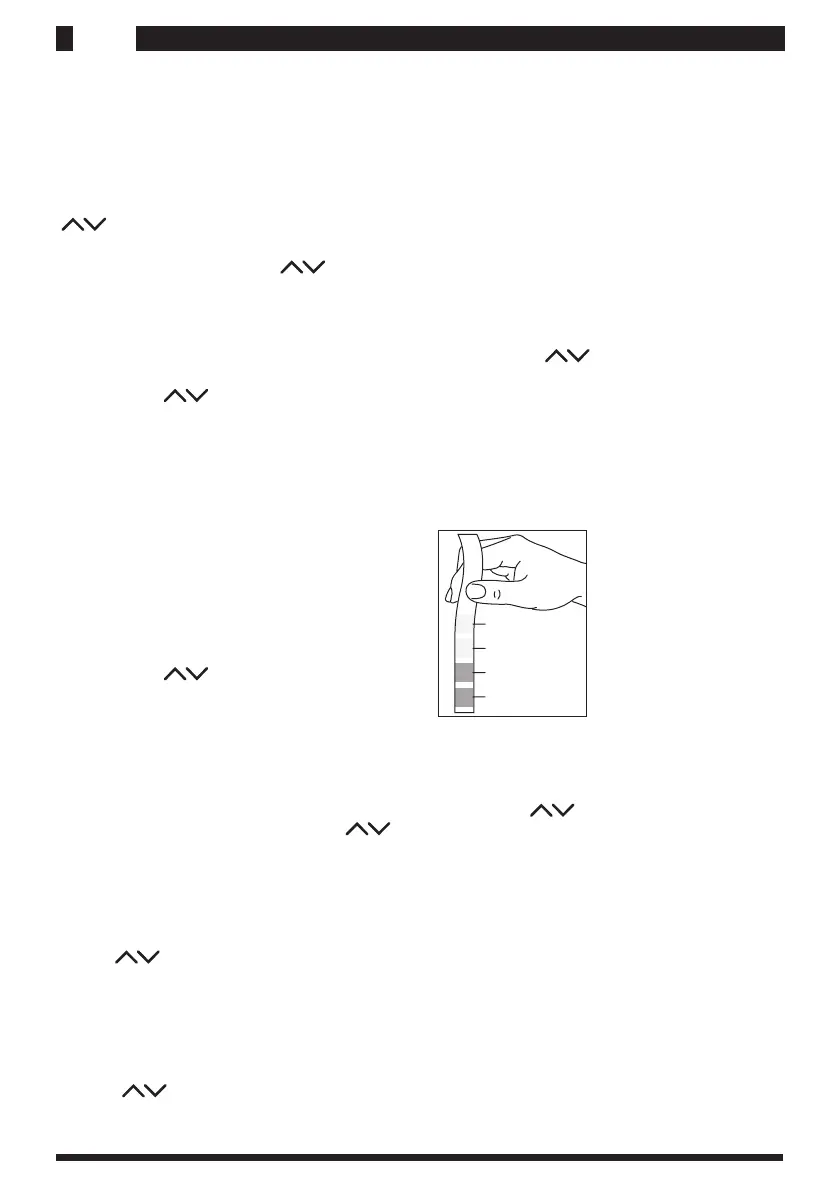
In order to adjust the water hardness, it is necessary
to test the water using the strip supplied with the
machine. Dip the strip into the water for a second,
shake off excess water gently, wait approx. 1 minute
and read the results.
Move the asterisk to the menu item Water hardness
using the keys
and press MENU' to acti-
vate it.
The display shows:
"WATER HARDN "
"HARDNESS 1 "
The key sallow you to change the set options:
hardness 1 (very soft),
hardness 2 (soft),
hardness 3 (medium),
hardness 4 (hard).
Activating the cup heater
Move the asterisk to the menu item Cup heating plate
using the keys and press MENU' to activate it.
The display shows:
"CUP HEATER "
"ON "
The keysallow you to change the set options: on, off.
Selecting temperature
Move the asterisk at the end of the line to the menu
items “Temp. l. coffee”, “Temp. coffee” or
“Temp. S. coffee” and select it by means of the
MENU' key.
Hardness 4
Hardness 3
Hardness 2
Hardness 1










 To Next Page