11
EN
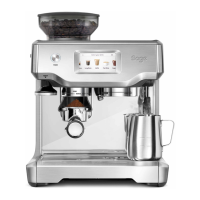
HD TOUCH SCREEN DISPLAY
Excess dirt and grime can get in the crevices of
your touch screen impairing its functionality. Keep
the touch screen dry and clean to ensure optimal
functionality. Use a screen cleaning wipe or a dry
soft cloth.
CLEANING CYCLE
There will be a message prompt when a cleaning
cycle is required.
This is a backushing cycle and is separate
from descaling. There is also the option to start
the cleaning cycle by choosing ‘Clean Cycle’ in
‘Settings’. The cleaning cycle cleans the shower
screen and back-ushes the group head to remove
the build up of coee and oils.
Follow the instruction on the screen.
DESCALING
There will be a message prompt when a descale
cycle is required.
Even with the provided water lter, it is
recommended to descale if there is scale buildup
in the water tank.
There is also the option to start the descale cycle
by choosing ‘Descale Cycle’ in the 'Settings'.
Follow the instruction on the screen.
CLEANING THE STEAM WAND
• The steam wand should always be cleaned
after texturing milk. Wipe the steam wand with a
damp cloth.
• If any of the holes in the tip of the steam wand
become blocked, it may reduce frothing
performance.
• Go to 'Settings' > 'Steam wand cleaning' and
follow the guide on the screen.
Care & Cleaning
Steam Wand
Tip
NOTE
Ensure the steam wand tip is tightly fastened after
cleaning.



 To Next Page
 Loading...