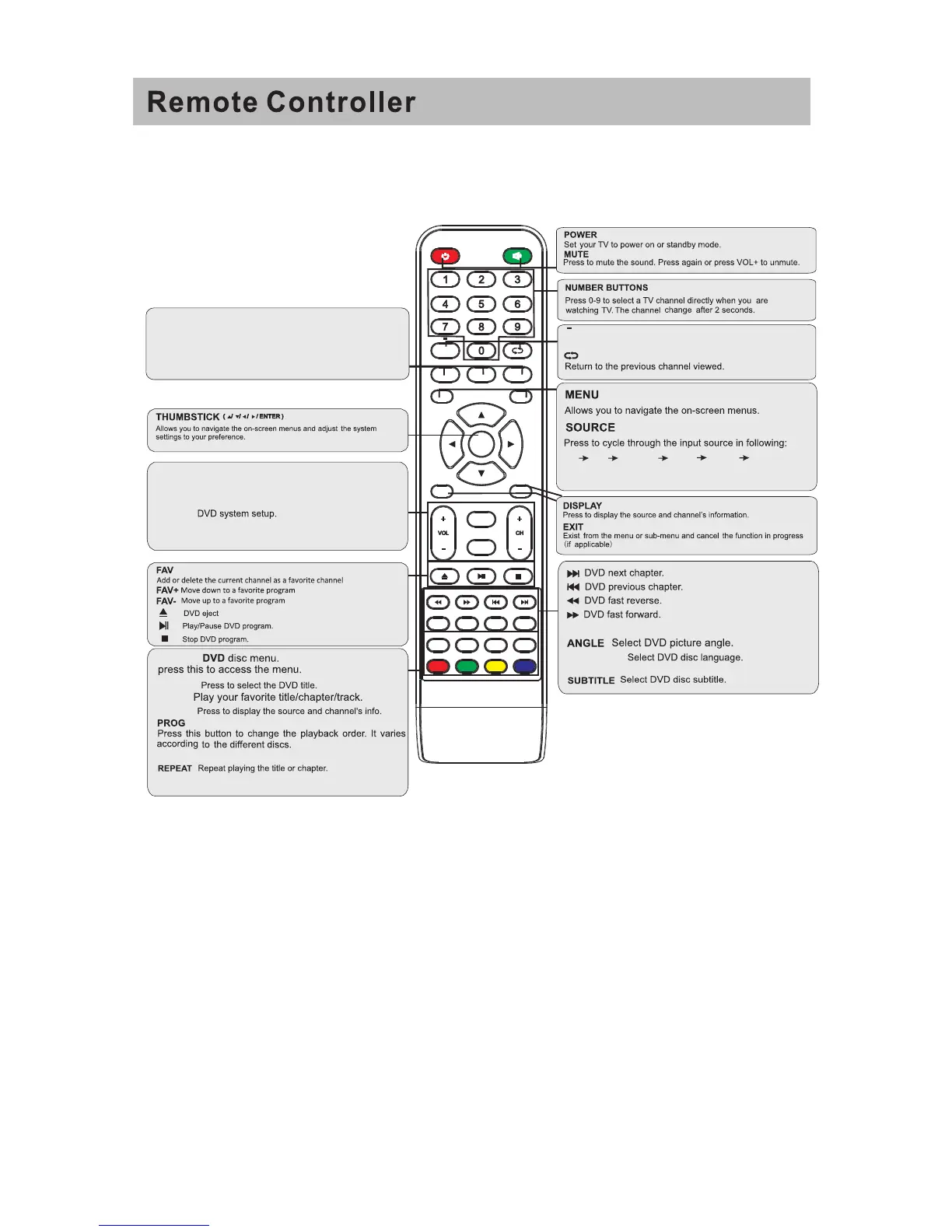
MENU
SOURCE
ENTER
EXIT
SLEEP
P.MODE S.MODE
DISPLAY
ASPECT
ZOOM
D.MENU D.TITLE
ANGLE
MTS
D.DISP
REV FWD PREV
FAV-
GOTO
AUDIO/CCD
SUBTITLE
FAV FAV+
PROG STEP
REPEAT
A-B
NEXT
D.setup
D.Menu D.Title
Goto
D.Disp
PROG
STEP REPEAT A-B
Zoom
Angle
Subtitle
Audio
D.TITLE:
A-B
During the playback,press this button to repeat
playback of a specific section on a disc.
SLEEP: Select amount of time before TV turn
off
automatically.
S.MODE: Press to cycle through the different sound settings
P.MODE: Press to cycle through the different picture settings
D.DISP:
D.MENU:
Press "-" to enter a program number for multiple program
channel, such as 2-1 etc.
GOTO:
STEP:Play for single frame image
ZOOM In DVD source adjust DVD picture size
MTS:
Press to select the audio mode, yo u can select Stereo, Mono,
or SAP(second audio program).
CH +/- : Press to scan through or to select a channel.
V +/-: Press to increase / decrease the sound level.
ASPECT: Aspect function.
D.Setup:
AVTV
HDMI
PC
YPbPr
DVD
AUDIO/CCD
Press to dispiay the closed caption .
37
SAIK YO


 To Next Page
 Loading...