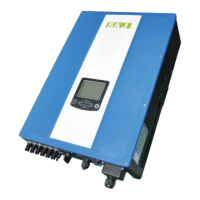
Figure 5.12
Communication cable connection
5.5 Communication Module Installation
Figure 5.13
4G/WiFI port
Plug in the communication module to 4G/WIFI port and secure the module by rotating
the nut.
1. 4G/Wi-Fi port could be externally connected with eSolar 4G module, eSolar Wi-Fi module or eSolar AIO3
module, for operation in details please refer to communication module Quick Installation Guide in
https://www.saj-electric.com/ .
5.6 Connecting Battery Power Cable
· Power off the battery system before connecting the power cable to avoid high voltage danger
· The electrical connection of high voltage battery systems must be operated by qualified technicians in accordance with
local and national power grid standards and regulations.
5.7 Battery Connection
If lithium battery is connected, it is not required to install a breaker between battery and inverter.
Cable Cross-sectional area(mm²)
Table 4.4
Recommended specifications of DC cables
Procedure:
1. Open the waterproof cover, then feed the battery cable through the AC waterproof hole.



 To Next Page
 Loading...