English - 47 -
Actions
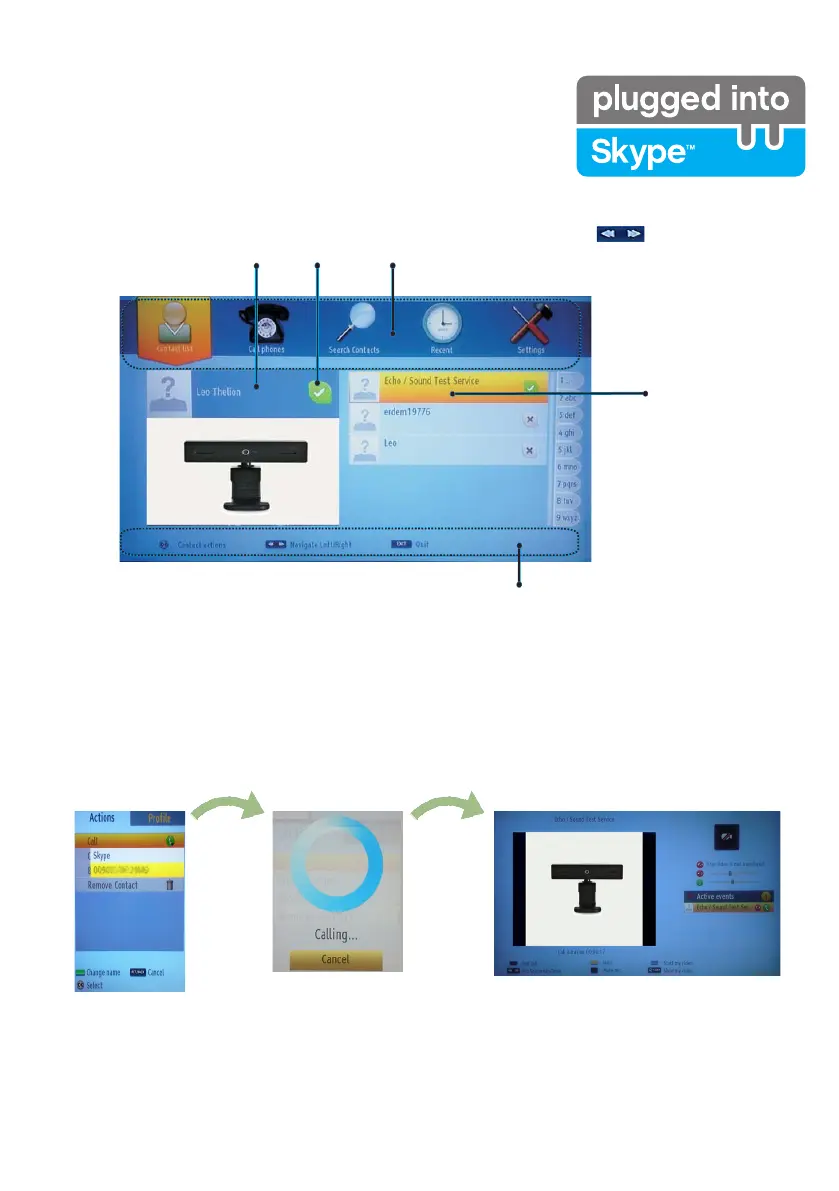
Select a person from the contact list screen and press OK. Choose an action from the list and then press OK
to start the selected process. Voice and video call is ready for your use.
If available you will see the thumbnail view of yours and the other person’s camera feed.
Help bar
Your contact list
(Press Ok to use
video&voice call)
Select a Menu by pressing the button.
Online
status
Account Name,
mood message and
prole picture.
When a conversation is active, you can mute the microphone or put the other person on the line on hold.
Press the Red button to end a call.


 To Next Page