Using the search function from the main menu, you can find programmes that have already aired
and can be replayed, but also live, upcoming and recorded content.
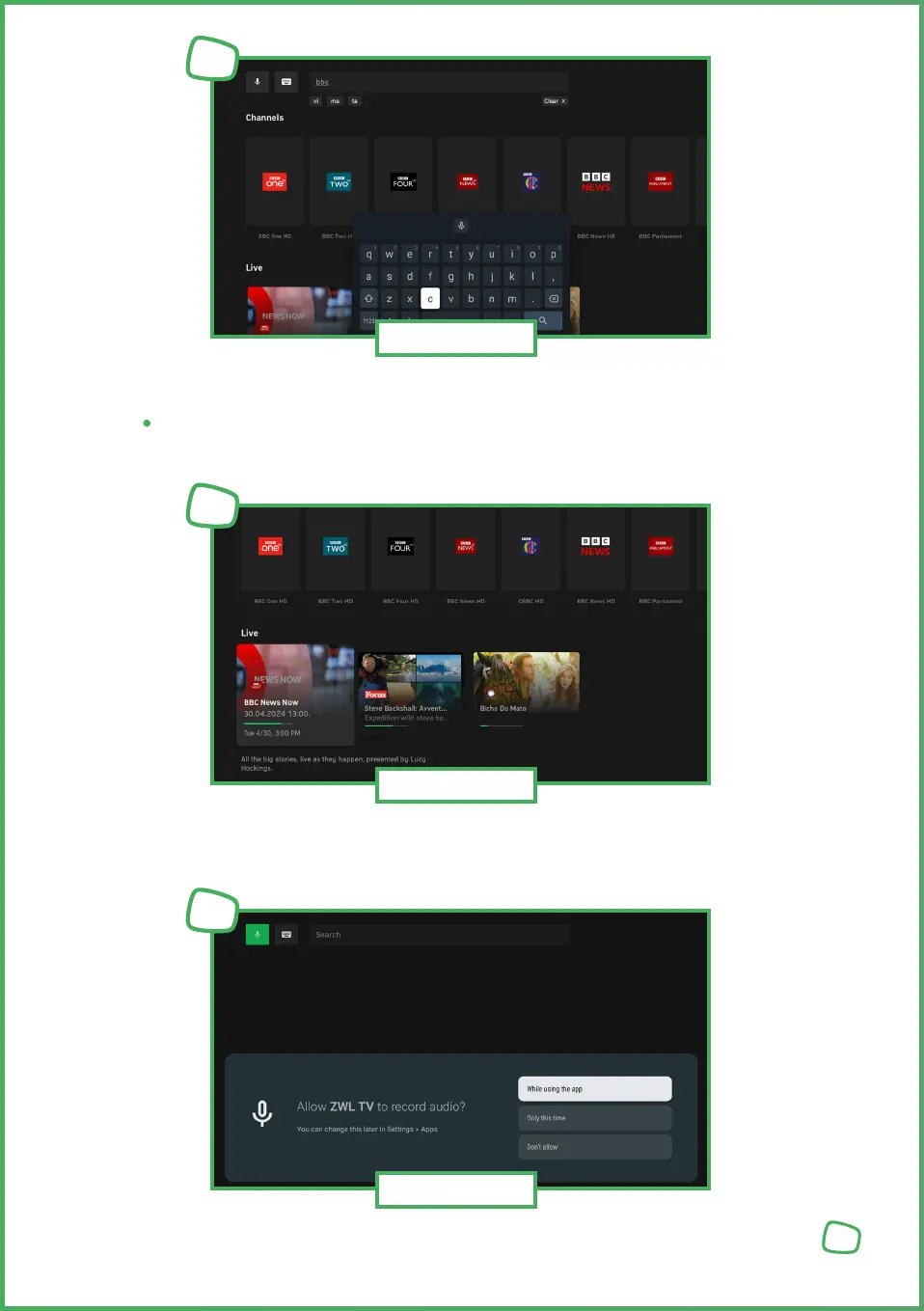
To enter the search using the keyboard, select „Keyboard Input“ and press the „OK“ button.
Enter your search query using the on-screen keyboard.
To perform the search using voice control, select „microphone input“ and press the „Select“ button, you
can then speack your serach query into the microphone“
Note: For the first use of the voice function, you must grant permission for audio recordings to be
made for this purpose.
21
Search
18
Search
19
Search
20


 To Next Page
 Loading...