Your NOVA chat: First Steps Page 2
4 Choose a Vocabulary File
If you want to use a different vocabulary file than the one that is currently active, you can select an alternative. Your speech and
language specialist may assist in choosing the best vocabulary.
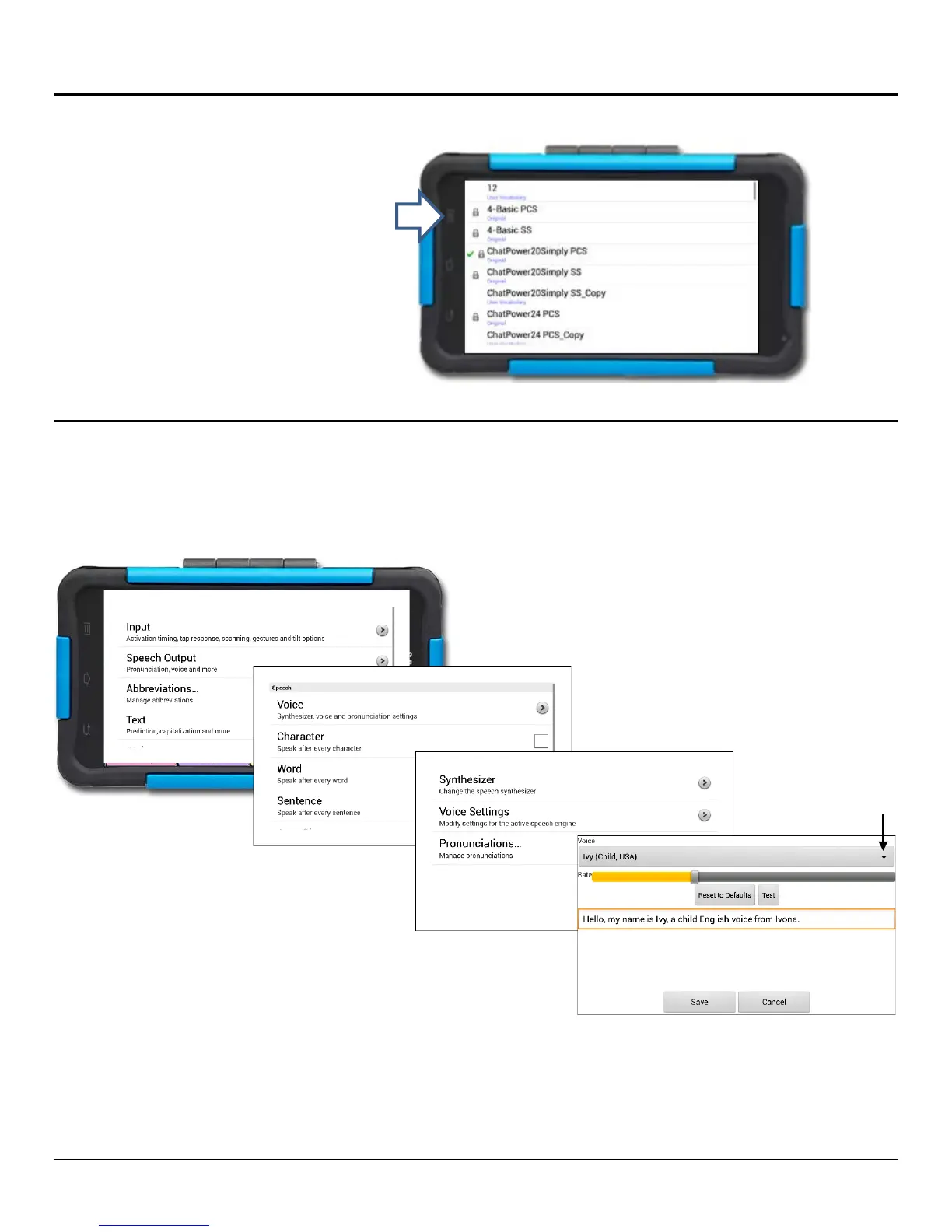
5 Choose a Voice
If you want to use a different voice than the one that is currently active, you can choose from a variety of voices.
6 Now, Start Exploring Your Device! Refer to the User’s Guide for Assistance.
Tap on Library.
Scroll up and down
available vocabulary files.
Select the file you want.
2. Tap on Settings.
3. Select Speech Output.
* If you purchased Acapela Synthesizer:
After you tap on Voice (step 4), tap on
Synthesizer and select Acapela
proceed to step 5.
5. Tap on Voice Settings.
6. Tap on the arrow on the top far
right to open the drop-down menu.
7. Tap on the voice you want.
9. Tap on the Back
return to the vocabulary page.



 To Previous Page