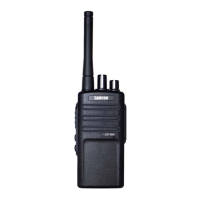
BASIC OPERATION
Turn the Radio ON/OFF
To turn on the radio, rotate on the On/Off/Volume Knob
clockwise. The radio plays power up audio, displays current
channel number or frequency on the screen.
To turn off the radio, rotate the On/Off/Volume Knob
counter-clockwise until you hear a ‘Click’ sound.
Adjusting Volume
Turn the On/Off/Volume Knob clockwise to increase the
volume, or counterclockwise
to decrease the volume.
Note: Do not hold the radio too close to the ear when the
volume is high or when adjusting the volume.
Working Mode
The radio has two working modes: VFO and Channel. Press
and hold in [ ] button and turn on the radio to switch
between VFO model and Channel mode.
Selecting a Channel
When the radio is under Channel mode, to select a channel,
turn the Channel Selector Kno
b until you reach the desired
channel. Each channel has its own frequency, privacy code
and other settings.
Frequency Adjust
Under VFO mode, turn the Channel Selector Knob until you
reach the desired frequencies.
Receiving a Call and Talking
1. Select a channel by rotating the Channel Selector Knob
until you reach the desired channel.


 To Next Page
 Loading...