1. You can add, delete an alarm, or turn the alarm on/off on the watch, and also
set an alarm for the watch via the app.
2. You can set the alarm delay time and times in the APP to decide how long you
want to delay and how many times to delay.
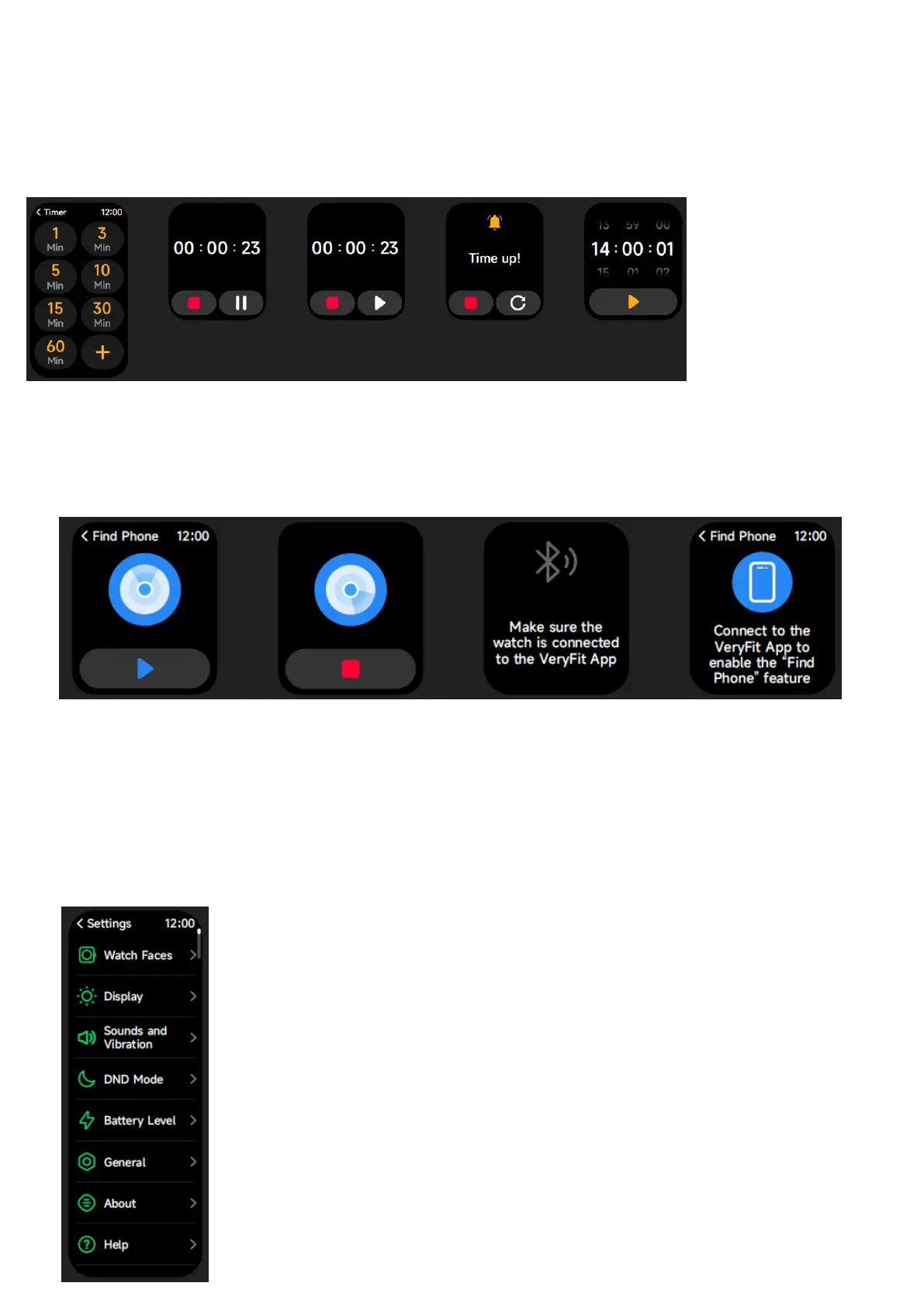
14) Timer
You can set a timer with a preset duration on the watch, and the timer will
remind you when the timer expires; you can customize the timer time.
15) Find phone
16) Settings:
1. In the watch’s settings, you can set the screen-on time, ringtone volume and
vibration, etc.
2. In the watch’s settings, you can also shut down, restart or reset the watch
(once reset, all data stored in the watch will be cleared, and the watch will be
unpaired from your phone).


 To Next Page