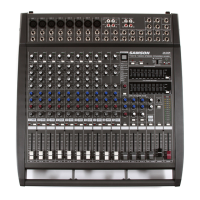
15
Top Panel Controls
28
30
29
32
33
31
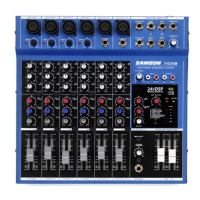
Digital Effects Section (MXP144FX only)
The following section describes the features control of the on-board 24-bit
digital Multi-effects section.
28. PROGRAM Effects Display - The mixer’s multi-effects
processors feature a dual digit, seven-segment
numerical display for showing the effects PROGRAM
number from 00 - 99.
29. SELECT Control Knob - The SELECT control knob is
a continuously variable encoder to call up one of
the 100 built-in digital effects presets. Rotate the
SELECT knob to scroll through the preset programs
and press to load the selected effect.
30. To MON Control - This control is used to adjust the
level of the effects from the built-in Digital Effects
that’s being sent to the MON bus. This allows you to
add the effects to the signal in your monitor speakers.
31. Effects ON Switch - The effects ON switch is used to
turn the internal digital effect on and off. The effects
are by-passed when the switch is in the out position.
32. On/Peak Indicator - This LED indicator lights green
when the Digital Effects is turned on. The indicator
lights red when the input signal to the internal Digital
Effects is overloaded.
33. FX Fader - The FX fader is used to adjust the level of
the effects from the built-in digital effect that is sent
to the MAIN MIX bus. This allows you to hear the
DSP effects in your main speakers.


 To Next Page
 Loading...