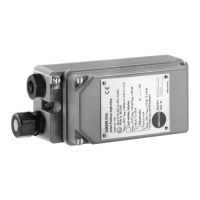
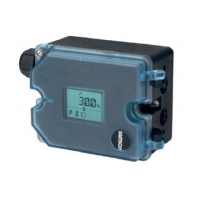
Edition July 2018 Quick Guide KA 8484-3 EN
3 Operation
Turn () the rotary pushbutton to select menu items, parameters,
or values. Press ( ) the button to conrm the setting.
for 2s to go back one level.
Conguration must be enabled before changing parameters:
Refer to associated mounting and operating instructions for details:
uEB8484-3 for TROVIS3730-3
Icon Meaning
Automatic mode
Manual mode
Fail-safe position
Open-loop control mode
Function mode
Failure
Function check
Out of specication
Maintenance demanded
Icon Meaning
OK
Write protection
Option module in slot A
Option module in slot B
Binary contact 1 active
Binary contact 2 active
Binary contact 3 active
4 Start-up
During the rst start-up, the wizard starts automatically:
1.
to determine the reading direction of the display.
2. (2x) to conrm.
3. to select language.
4. (3x) to conrm. The positioner changes to the start screen.
5. Initialize the positioner (see section 5).
5 Initialization
WARNING! Risk of crushing! During initialization, the valve moves
through its entire travel range/angle of rotation.
Note: Before initialization, mount the positioner on the control valve.
Connect the air supply and input signal.
For normal operation, simply start initialization by pressing the INIT
key (mode: MAX, closed position: ATO).
Î Use a thin, pointed object to press the initialization key: the posi-
tioner adapts itself automatically to the maximum travel range/
angle of rotation of the control valve.
Note: After changing the mounting situation, reset the positioner
before initialization (refer to mounting and operating instructions).
Refer to the mounting and operating instructions for other initializa-
tion modes and details.
6 Display icons and their meaning
1. to return to the main menu.
2. until the 'User level' appears.
3. and until 'On-site: write' appears.
4. to conrm.
Ausgabe Juli 2018 Kurzanleitung KA 8484-3
3 Bedienung
Durch Drehen () des Dreh-/Druckknopfes werden Menüpunkte,
Parameter und Werte ausgewählt. Drücken ( ) des Knopfes bestätigt
die Auswahl. für 2s, um eine Ebene zurück zu wechseln.
Um Parameter zu ändern, muss vorher die Kongurationsfreigabe
aktiviert werden:
Einzelheiten vgl. zugehörige Einbau- und Bedienungsanleitung:
uEB8484-3 für TROVIS3730-3
Symbol Bedeutung
Automatikbetrieb
Handbetrieb
Sicherheitsstellung
Steuerungsmodus
Funktionsmodus
Ausfall
Funktionskontrolle
außerhalb d. Spezikation
Wartungsanforderung
Symbol Bedeutung
OK
Schreibschutz
Optionsmodul in Steckpl. A
Optionsmodul in Steckpl. B
Binärkontakt 1 aktiv
Binärkontakt 2 aktiv
Binärkontakt 3 aktiv
4 Inbetriebnahme
Bei Erstinbetriebnahme startet das Gerät mit dem Assistenten:
1.
, um Leserichtung des Displays festzulegen.
2. (2x), um zu bestätigen.
3. , um Menüsprache zu wählen.
4. (3x), um zu bestätigen, Startbildschirm erscheint.
5. Stellungsregler initialisieren (vgl. Kapitel 5).
5 Initialisierung
WARNUNG! Quetschgefahr! Während der Initialisierung durchfährt
das Ventil den gesamten Hub-/Winkelbereich.
Info: Vor der Initialisierung den Stellungsregler montieren, pneuma-
tische Hilfsenergie aufschalten und Eingangssignal anschließen.
Für den Normalbetrieb reicht die Schnellinitialisierung über den Ini-
tialisierungstaster aus (Modus: MAX, Schließstellung: ATO).
Î Initialisierungstaster mit einem dünnen, spitzen Gegenstand be-
tätigen: Der Stellungsregler adaptiert sich anschließend vollauto-
matisch auf den maximalen Hub-/Drehwinkelbereich des Stell-
ventils.
Info: Nach Änderung der Einbausituation, am Stellungsregler vor der
Initialisierung einen Reset durchführen (vgl. EB).
Weitere Initialisierungsarten sowie Einzelheiten vgl. EB.
6 Displaysymbole und ihre Bedeutung
1. , um ins Hauptmenü zu wechseln.
2. , bis „Benutzerebene” erscheint.
3. und bis „Vor Ort: Schreiben” erscheint.
4. , um zu bestätigen.



 To Previous Page
 Loading...