70 EB 8389-1S EN
Valve dead band
Dening parameters
1. Switch to manual mode (Code0 = MAN).
2. Select test parameters.
3. Start test.
The 'Test information' status indicates
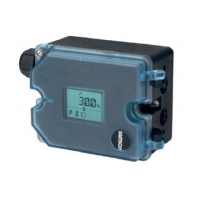
'Test active'. 'D3' and 'TEST' are indicat-
ed in alternating sequence on the posi-
tioner display.
'Function check'
is activated as the
condensed state.
1.
Diagnostics > Service/maintenance >
Operating mode
− Enter operating mode (Code 0): Manual
2.
Diagnostics > Monitoring/tests > Dynamic
tests > Valve dead band
− Lower range value: 0.0 to 100.0 %,
[50.0%]
− Stop: 0.0 to 100.0 % [52.0 %]
− Waiting time after step change:
0.1 to 25.0 s, [1.0 s]
− No. until reversing: 1 to [50]
3. − Start test
Note:
Cancel the test by right-clicking 'Can-
cel test' and selecting 'Execute' or by
pressing the rotary pushbutton at the
positioner. After the test has been can-
celed, the positioner remains in man-
ual mode.
In TROVIS-VIEW4 the test information and
progress ag of the test are displayed. The
'Test information' status indicates 'Test not
active' after the test is nished.
11.1 Resetting single status mes-
sages
The diagnostic parameters and measured
data of the last test are reset by selecting and
executing the command "Reset 'Valve dead
band".
If the test is restarted and a test analysis has
already been performed, the analysis of the
old test is overwritten.
Diagnostics > Service/maintenance > Reset
− Reset 'Valve dead band'



 To Next Page
 Loading...