10 Operating Instructions and Installation
10-3
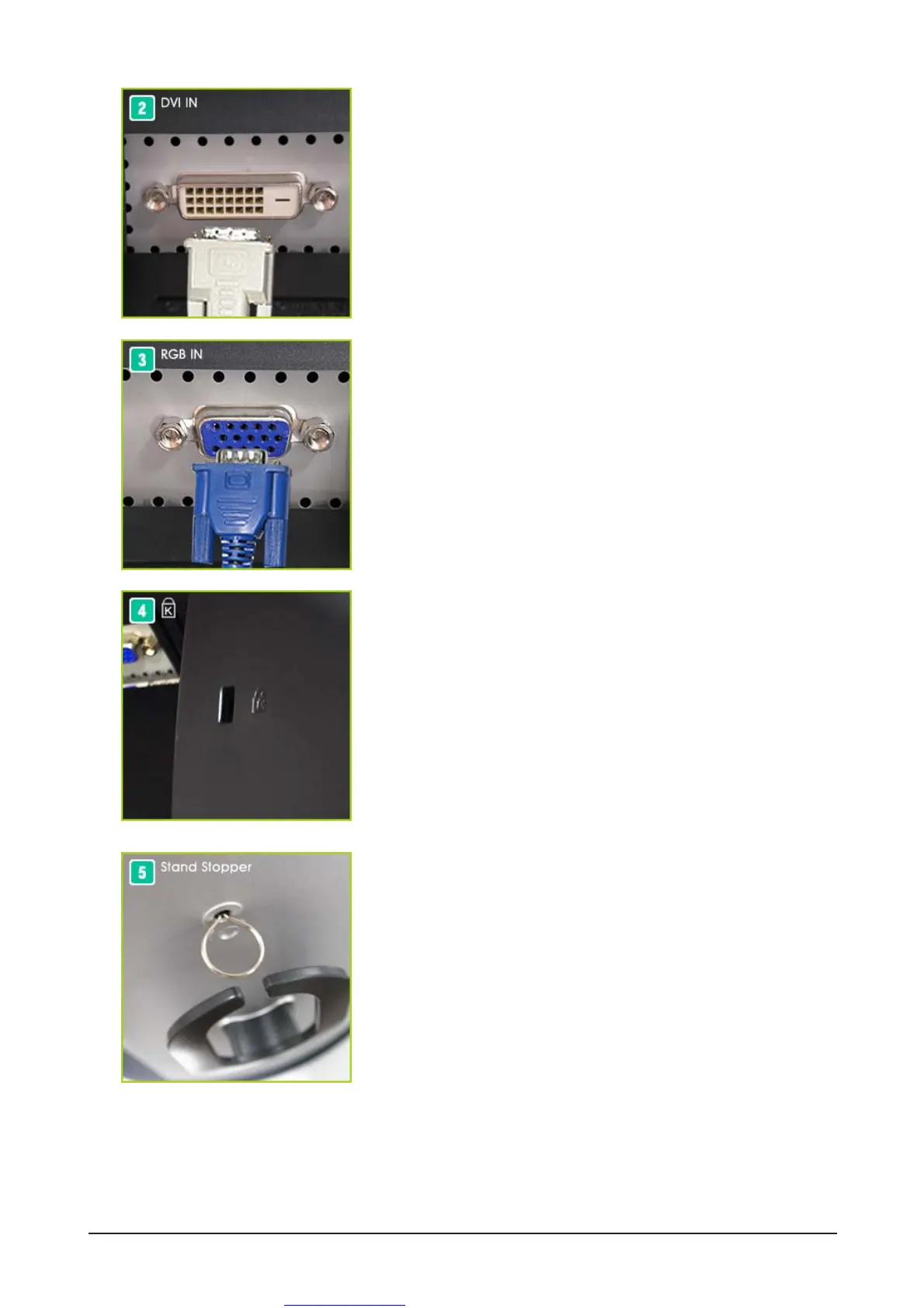
RGB IN port : Connect the signal cable to the RGB IN
port on the back of your monitor.
(SOURCE : analog)
Kensington Lock : The Kensington lock is a device
used to physically fix the system
when using it in a public place.
(The locking device has to be
purchased separately.)
Stand Stopper : Remve the fixing pin on the stand to lift
the monitor up and down.
DVI IN port : Connect the DVI Cable to the DVI IN port
on the back of your monitor.
(SOURCE : digital)





 To Next Page