EasyManua.ls Logo

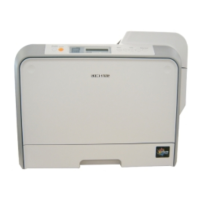
Samsung CLP-550N - User Manual

Samsung CLP-550N
289 pages
Print Icon
To Next Page IconTo Next Page
Loading...
COLOR LASER PRINTER
Setup Guide

Questions and Answers

  • R
    Robert RyanAug 11, 2025
    How to fix a Samsung CLP-550N Printer that doesn't print?
    • J
      Jonathan HernandezAug 11, 2025
      If your Samsung printer isn't printing, start by ensuring it's receiving power by checking the power cord connections, power switch, and power source. Make sure that the printer is selected as your default printer. Also, verify that the printer cover is closed, there are no paper jams, paper is loaded, and the toner cartridge is installed. If the printer is in manual feed mode, add paper to the Multi-purpose Tray and press the On Line/Continue button. Check and, if needed, reconnect or replace the cable between the computer and printer. Ensure the port setting is correct, and the printer properties are properly configured. Reinstall the printer driver and check the display message on the control panel for system errors.
  • B
    Breanna DonovanAug 17, 2025
    What to do if my Samsung CLP-550N is not printing?
    • M
      Mariah CooperAug 17, 2025
      If your Samsung printer is not printing, there are several things to check: * First, ensure the printer is receiving power. Check the power cord and switch. * Second, confirm that the printer is set as the default printer on your computer. * Third, look for basic issues: ensure the printer cover is closed, no paper is jammed, paper is loaded, and the toner cartridge is installed. * Fourth, verify the connection cable is properly connected or try a different cable. * Finally, check the printer properties to ensure all print settings are correct, and reinstall the printer driver if necessary.
  • J
    Justin AbbottAug 28, 2025
    How to check Samsung Printer if it is not printing?
    • G
      George JonesAug 28, 2025
      To troubleshoot why your Samsung printer isn't printing, start by checking the power connections and ensuring the printer is on. Confirm that the printer is selected as the default printer. Check for common issues like the printer cover being open, paper jams, empty paper tray, or an improperly installed toner cartridge. If using manual feed, ensure paper is in the Multi-purpose Tray and press the On Line/Continue button. Inspect the connection cable between the computer and printer, trying a replacement if possible. Verify the correct port setting in your computer's printer settings. Review the printer properties to ensure all settings are correct. If problems persist, reinstall the printer driver and check the printer's display for any system error messages.
  • J
    Joseph MartinezNov 21, 2025
    Why is my Samsung CLP-550N not printing?
    • Q
      qpalmerNov 21, 2025
      Your Samsung printer might not be printing due to several reasons. It could be as simple as the printer not receiving power; check the power cord and connections. Ensure that the printer is selected as the default printer on your computer. Also, the printer cover might not be closed properly, there could be a paper jam, no paper loaded, or the toner cartridge might not be installed. The printer may also be in manual feed mode and out of paper, so check the display message, add paper to the Multi-purpose Tray and press the On Line/Continue button. A faulty or disconnected cable between the computer and the printer could also be the cause. In addition, the port setting might be incorrect, or the printer driver may be incorrectly installed. Finally, the printer may be malfunctioning, so check...

Samsung CLP-550N Specifications

General IconGeneral
BrandSamsung
ModelCLP-550N
CategoryPrinter
LanguageEnglish

Related product manuals