Alignment & Troubleshooting
Service Manual
4-1
Samsung Electronics
4. Alignment & Troubleshooting
4.1 Alignment and Adjustments
This chapter describes the main functions for service, such as the product maintenance method, the test
output related to maintenance and repair, Jam removing method, and so on.
It includes the contents of manual.
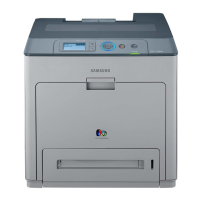
4.1.1 Control Panel
1 Display Shows the current status and prompts during an operation.
2 Toner colors Show the status of each toner cartridge.
3 (menu)
Enters menu mode and scrolls through the available menus.
4 (Back)
Sends you back to the upper menu level.
5 Arrow
Scroll through the options available in the selected menu, and
increase or decrease values.
6 OK Conrms the selection on the screen.
7 (Stop)
Stops an operation at any time. The pop-up window appears on the
screen showing the current job that the user can stop or resume.
8 (Power)
Sends the machine into power saver mode. You can also turn the
power on and off with this button.
9 Status LED Shows the status of your machine.


 To Next Page
 Loading...