Maintenance
English52
Maintenance
NOTE
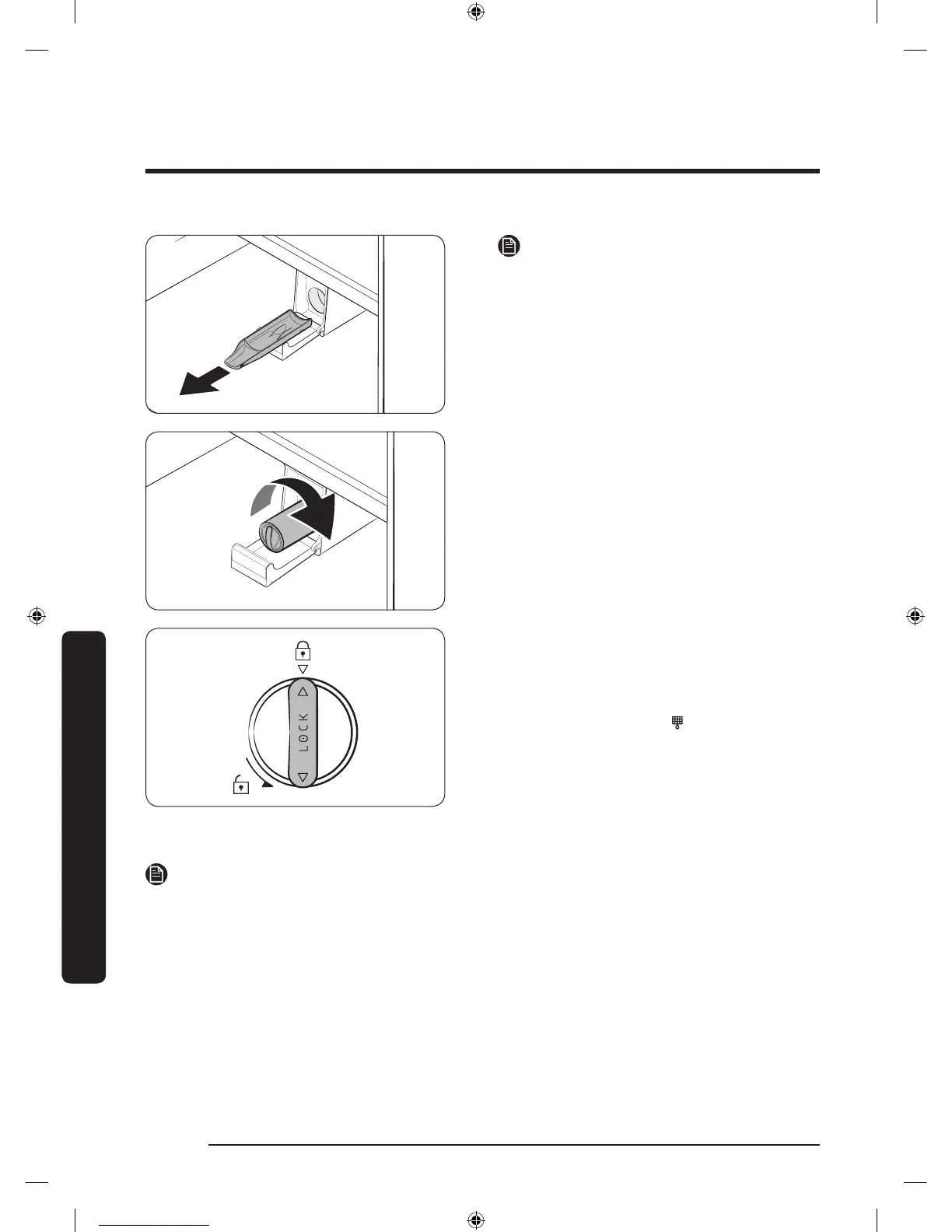
To prevent overow, empty and dry the
water lter tray.
4. Insert a new lter cartridge. Use only
Samsung-provided or -approved lters.
5. Turn the cartridge knob clockwise to
lock into place.
6. Press and hold Cubed Ice on the feature
panel for 3 seconds to reset the lter.
The lter indicator (
) turns off.
7. When replacing is complete, open the
water valve and run water through the
dispenser for about 7 minutes. This is
to remove impurities and air from the
water line.
NOTE
• A newly installed lter may cause the water dispenser to spurt water briey. This is
because of air entering the waterline.
• This replacement process cause the refrigerator to drip water onto the oor. Simply
wipe up with dry cloths.
Untitled-1 52 2016-09-29 7:40:46



 To Next Page