English - 29
OPERATING
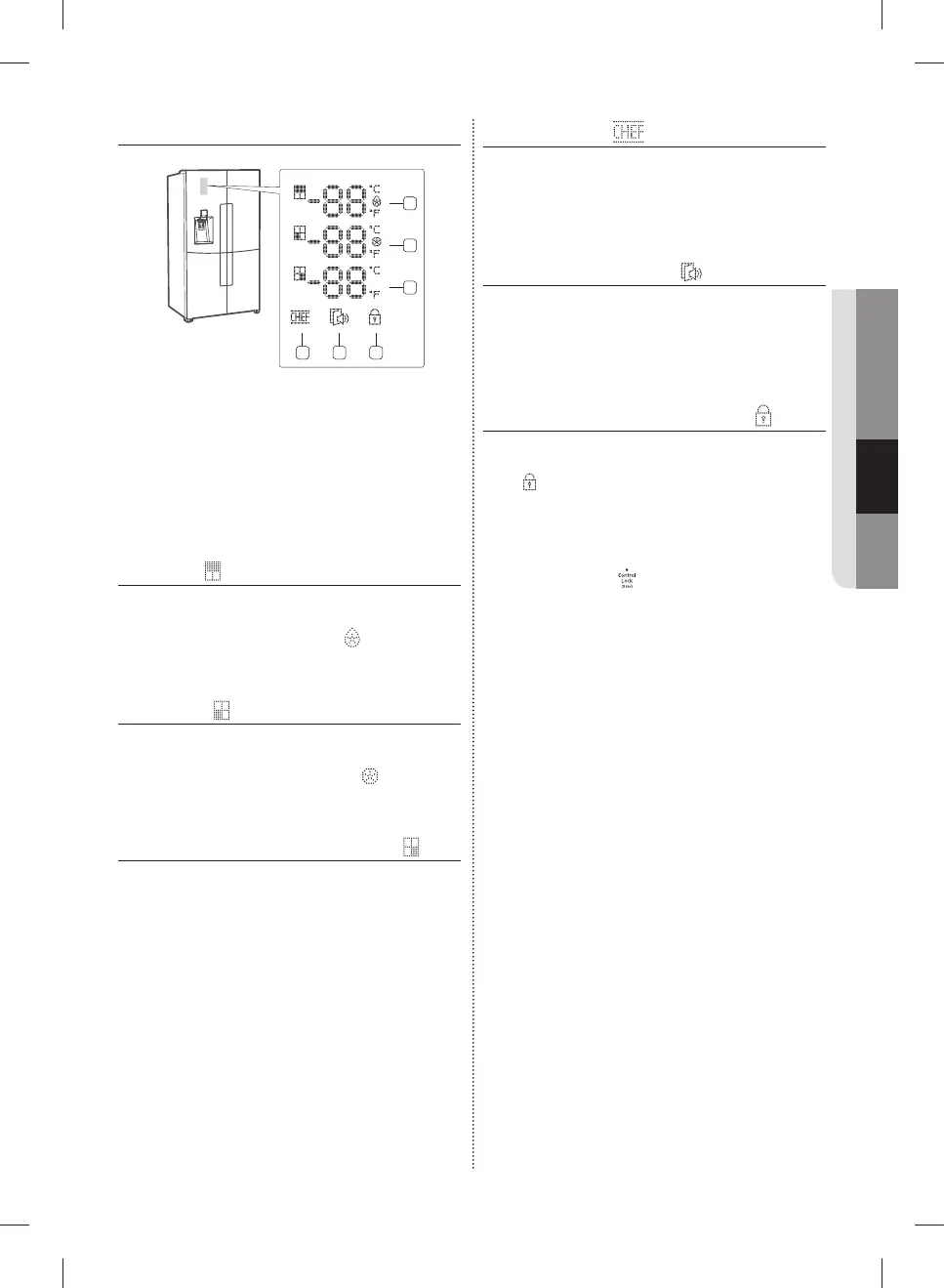
STAR DISPLAY INDICATORS
1
2
4
5
6
3
The Star Display contains indicators and icons that
graphically display the state of your refrigerator.
For example, the Power Cool indicator lights when
the Power Cool mode is on.
( 1 ) Fridge
1. Fridge temperature display (°C/°F).
2. ‘Power Cool’ Mode Indicator ( ).
( 2 ) Freezer
1. Freezer temperature display (°C/°F).
2. ‘Power Freezer’ Mode Indicator ( ).
( 3 ) Cool Select (Cool Select Room)
The displayed temperature corresponds to the
Cool Select Room setting.
Freezer: Same as the freezer temperature (°C).
Soft Freeze: -5°C
Chill: -1°C
Cool: 2°C
( 4 ) Chef Pantry
If this icon lights up, it means that the CHEF Mode
is operating now.
( 5 ) Door Open indicator
If the door is open for a certain length of time, this
indicator icon blinks and the refrigerator beeps.
( 6 ) Dispenser Control Panel Lock
If you Lock the Dispenser Control Panel, the Lock
icon (
) on the Door is displayed.
The Dispenser Lock doesn't a ect the Main
Control Panel. The Main Control Panel has its own
lock button.
If you lock the Main Control Panel, the dot on the
Main Control Lock (
) will be displayed.
DA68-03013E-03.indb 29DA68-03013E-03.indb 29 2015. 8. 26. 10:382015. 8. 26. 10:38



 To Next Page