Apps and features
78
221110_wonseop.lee 221110_wo
221110_wonseop.lee 221110_wonseop.lee 221110
221110_wonseop.lee 221110_wo
Translate
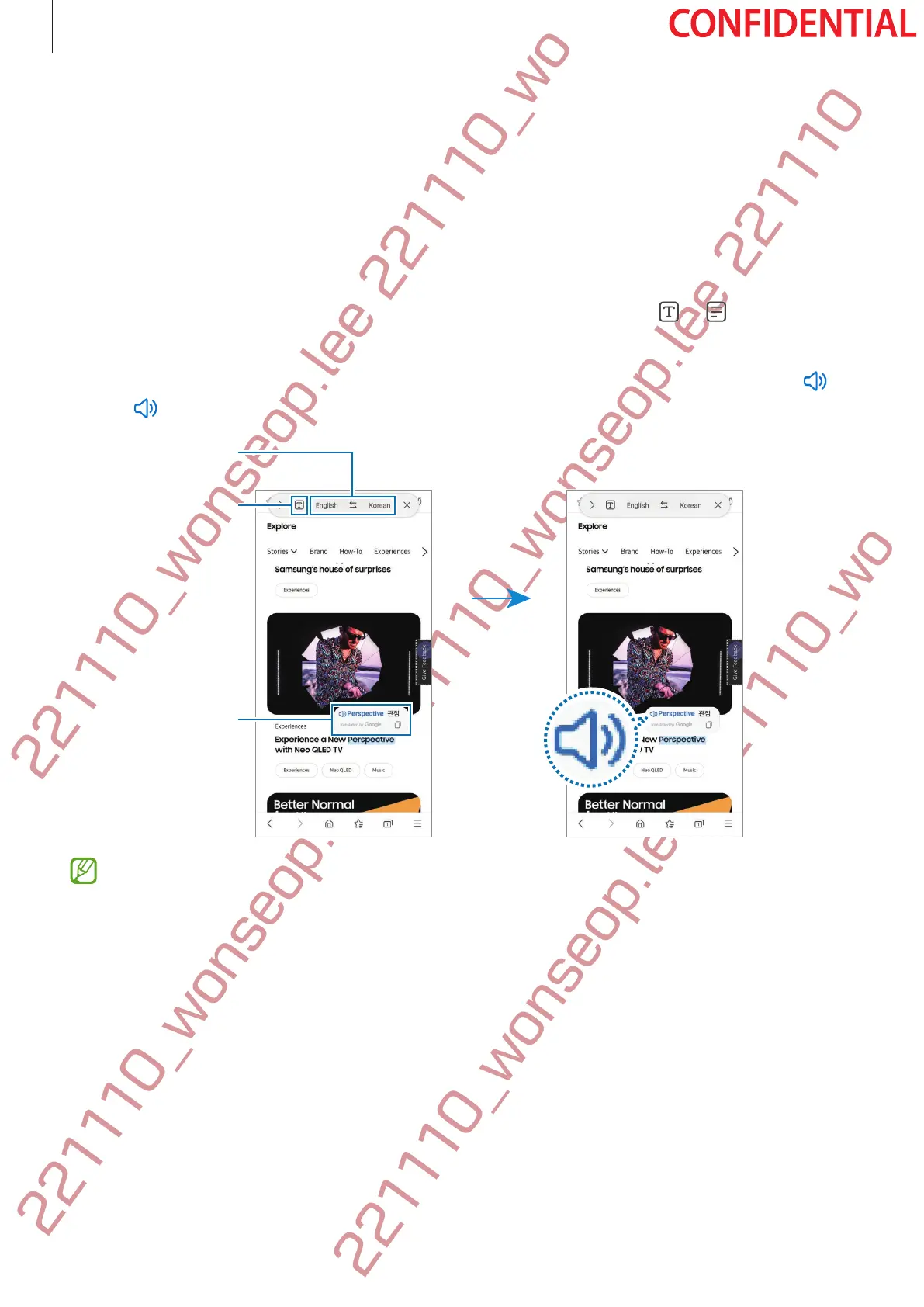
Hover the S Pen over the text you want to translate. The units included in the text will also be
converted.
1 When there is text you want to translate, open the Air command panel and tap
Translate
.
2 Select the languages on the translator panel at the top of the screen.
You can change the text between words and sentences by tapping
or .
3 Hover the S Pen over the text you want to translate or the unit you want to convert.
The translated text will appear. To listen to the pronunciation of the original text, tap
.
The
icon may not appear depending on the language you select.
Text selecting
granularity (word
or sentence)
Translation result
•
This feature does not support some languages.
•
This feature is available only when detectable text is on the screen.





 To Next Page