Apps and features
82
221110_wonseop.lee 221110_wo
221110_wonseop.lee 221110_wonseop.lee 221110
221110_wonseop.lee 221110_wo
Screen off memos
You can quickly create memos by writing on the screen without turning on it.
When the screen is off, detach the S Pen or hover the S Pen over the screen and press the
S Pen button.
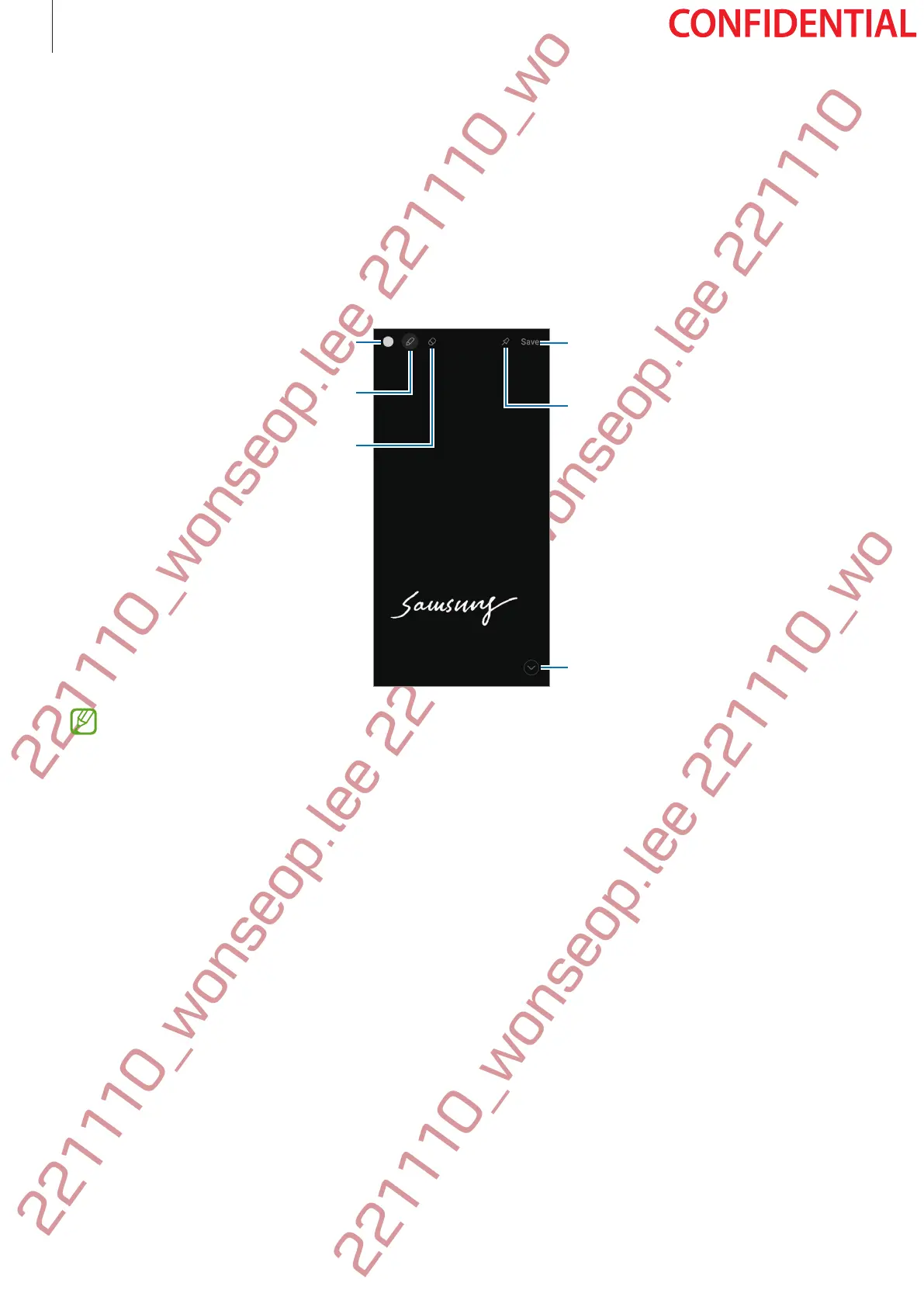
When you tap
Save
or reinsert the S Pen into the slot after writing a memo, the memo will be
saved to
Samsung Notes
.
Pin the memo on the Always On
Display.
Save the memo in Samsung Notes.
Extend the page.
Change the line thickness.
Eraser
Change the pen colour.
If this feature is not activated, launch the
Settings
app, tap
Advanced features
→
S
Pen
, and then tap the
Screen off memos
switch to activate it.



 To Next Page