English - 19
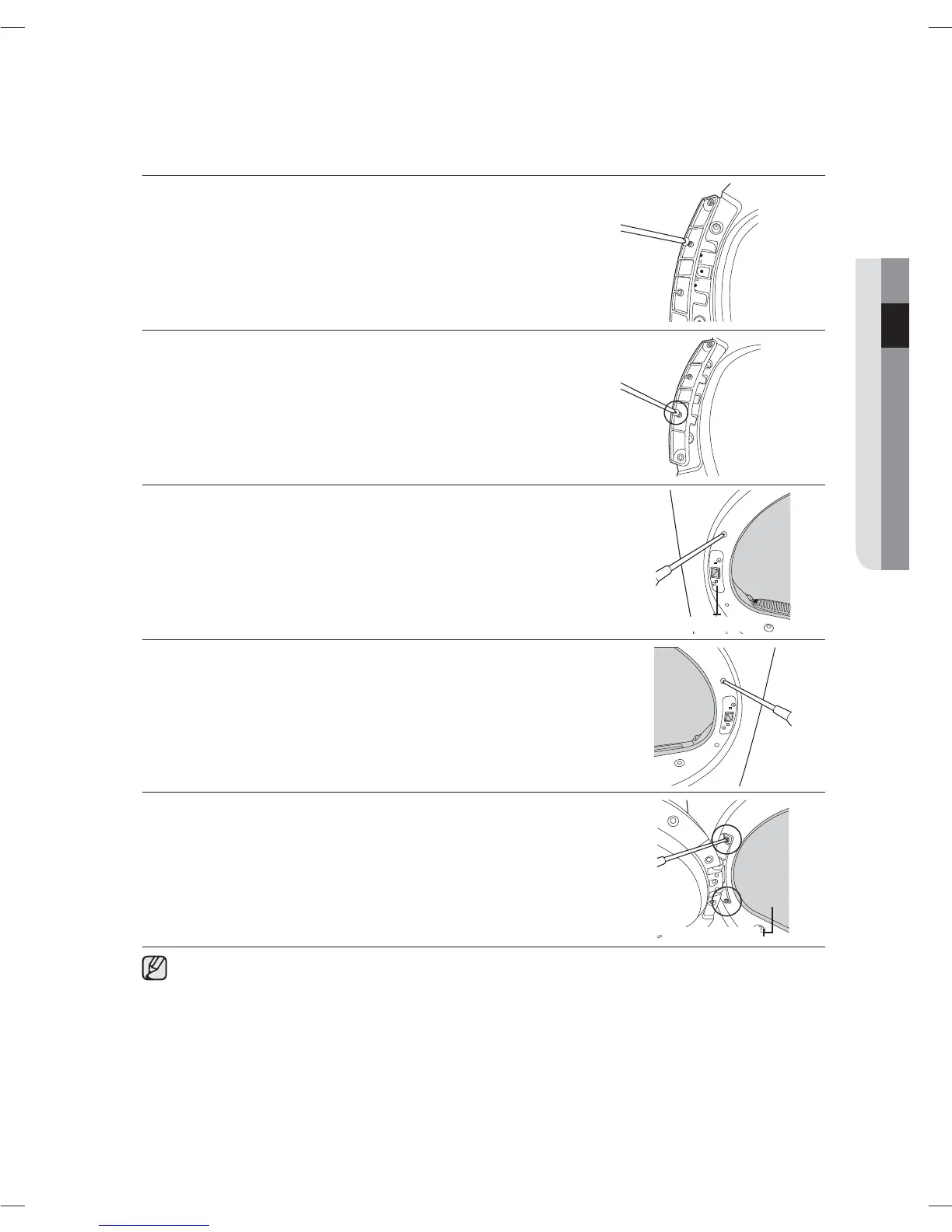
8. Move the position of the screw at the back of the door-hinge.
9. Fasten the screw in the bottom hole.
10. Remove the two screws holding the front-frame at the left.
11. Remove the two screws holding the holder-lever at the left.
12. Now, move to the right side of the product and fasten the two screws
holding the front-frame and the two screws holding the lever-holder.
13. Align the door with the fixing holes.
14. Fasten the two screws holding the door-hinge.
You can restore the direction the door opens by following the procedures above, if necessary.
Holer-Lever
Inside the drum
INSTALLING YOUR DRYER
DV80H4000CX-03408E-03_EN.indd Sec3:19DV80H4000CX-03408E-03_EN.indd Sec3:19 2014-11-28 2:41:212014-11-28 2:41:21



 To Next Page