
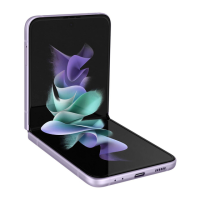
 Need help?
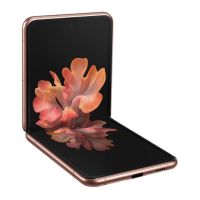
Do you have a question about the Samsung Gaaxy Z Flip3 5G and is the answer not in the manual?
 General
| RAM | 8GB |
|---|---|
| Storage Options | 128GB, 256GB |
| Charging | Fast charging 15W, Fast wireless charging 10W, Reverse wireless charging 4.5W |
| Dimensions (Folded) | 86.4 x 72.2 x 15.9-17.1 mm |
| Dimensions (Unfolded) | 166 x 72.2 x 6.9 mm |
| Weight | 183 g |
| SIM | Nano-SIM, eSIM |
| Water Resistance | IPX8 |
| Build | Glass front (Gorilla Glass Victus), glass back (Gorilla Glass Victus), aluminum frame |
| Technology | GSM / CDMA / HSPA / EVDO / LTE / 5G |
| Display | 6.7 inches, Dynamic AMOLED 2X, 120Hz, HDR10+ |
| Cover Display | 1.9 inches, Super AMOLED |
| Resolution | 1080 x 2640 pixels |
| Processor | Qualcomm SM8350 Snapdragon 888 5G |
| Rear Camera | 12 MP (wide), 12 MP (ultrawide) |
| Front Camera | 10 MP |
| Battery | 3300 mAh |
| Operating System | Android 11, upgradable to Android 13, One UI 5.1 |
| 5G bands | SA/NSA/Sub6 |
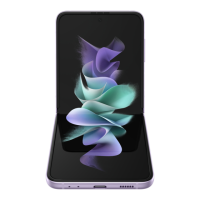
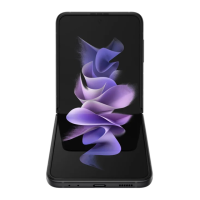
| Colors | Phantom Black, Green, Lavender, Cream, White, Pink, Gray |
Configure your device with SIM card, charging, and accessories for initial use.
Learn to turn on, use the setup wizard, and navigate basic device functions.
Utilize the device's unique folded states and adaptive flex modes for different tasks.
Capture, view, and edit photos/videos using camera and gallery features.
Discover, manage, and explore preloaded Samsung, Google, and Microsoft apps.
Methods to find and adjust device settings for optimal performance and configuration.
Configure Wi-Fi, Bluetooth, mobile data, and other device network connections.
Adjust screen appearance, brightness, sound modes, and vibration feedback for user experience.
Secure your device with screen locks, biometrics, and manage accounts and privacy settings.
Configure features to enhance usability for users with visual, hearing, and dexterity needs.


 To Next Page