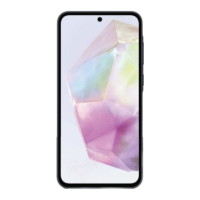
Galaxy A35 Disassembly & Assembly On the Job Training
© 2024 Samsung Electronics America, Inc. Samsung is a registered trademark of Samsung Electronics Co., Ltd. Other company names, product names and marks
mentioned herein are the property of their respective owners and may be trademarks or registered trademarks.
Revised May 9, 2024
1
QRG: Galaxy A35 Disassembly & Assembly
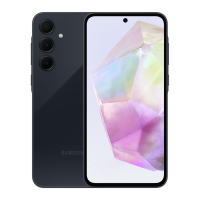
This document is intended to guide technicians when completing disassembly and reassembly
of Galaxy A35 (SM-A356U) devices.
To complete disassembly of Galaxy A35 devices, the following tools and equipment are necessary:
77mm Blue
Seal
Part#
GH81-
18491A
Torque Driver and
Bit Part#
05074826001
Opening Pick
Part#
GH81-20863A
Plastic ESD
Tweezers
Part#
GH81-14437A
Configure the AOD:
Replace the Orange Center Seal with the Blue Seal
Set the temperature to 75°C (Upper) and 65°C (Lower)
Place the device face down with the Camera facing to the left and align the center Seal
over the center of the device
Remove the Back Cover using Back Glass Setting on the AOD
Remove the Rework Tape from the Rear Cover
Remove the 18 screws holding the Rear Assembly to the Frame
Remove the Top and Bottom Rear Assembly using the proper disassembly points
Disconnect Battery FPCB using the Opening Pick
Disconnect Finger Print Scanner FPCB from Sub PBA
Disconnect Coaxial Cables from Sub PBA
Disconnect FPBC from Sub PBA
Remove one (1) screw from the Sub PBA
Disconnect FPCB from the Main PBA and UB and remove the FPBC
Disconnect Front Facing Camera from the Main PBA and remove the Front Facing Camera
Disconnect the Coaxial Cables from the Main PBA
Remove the one (1) Main PBA

 Need help?
 General









 To Next Page