Apps and features
88
Editing the background of the Live Focus photos
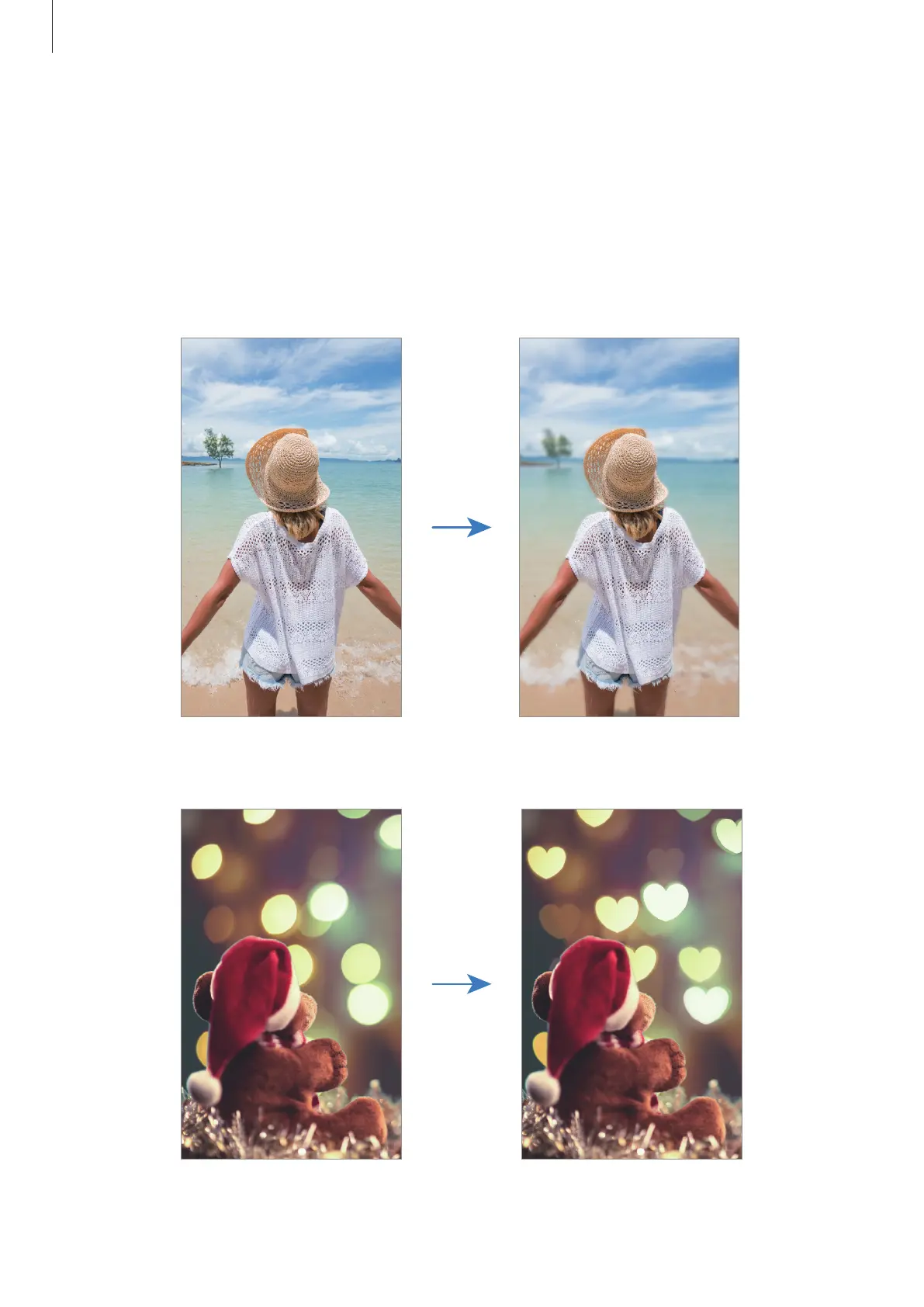
You can also edit the background blur level of a photo taken with the Live focus feature.
When the background lighting appears in blurred points, you can change the shape of the
background blur. Select a shape, such as a heart, star, or flower, to decorate the photo and
make it look different.
Adjusting the background blur level
Changing the shape of the background blur












 To Next Page