Basics
18
3
Plug the USB power adaptor into an electric socket.
4
After fully charging, disconnect the charger from the device. Then, unplug the charger
from the electric socket.
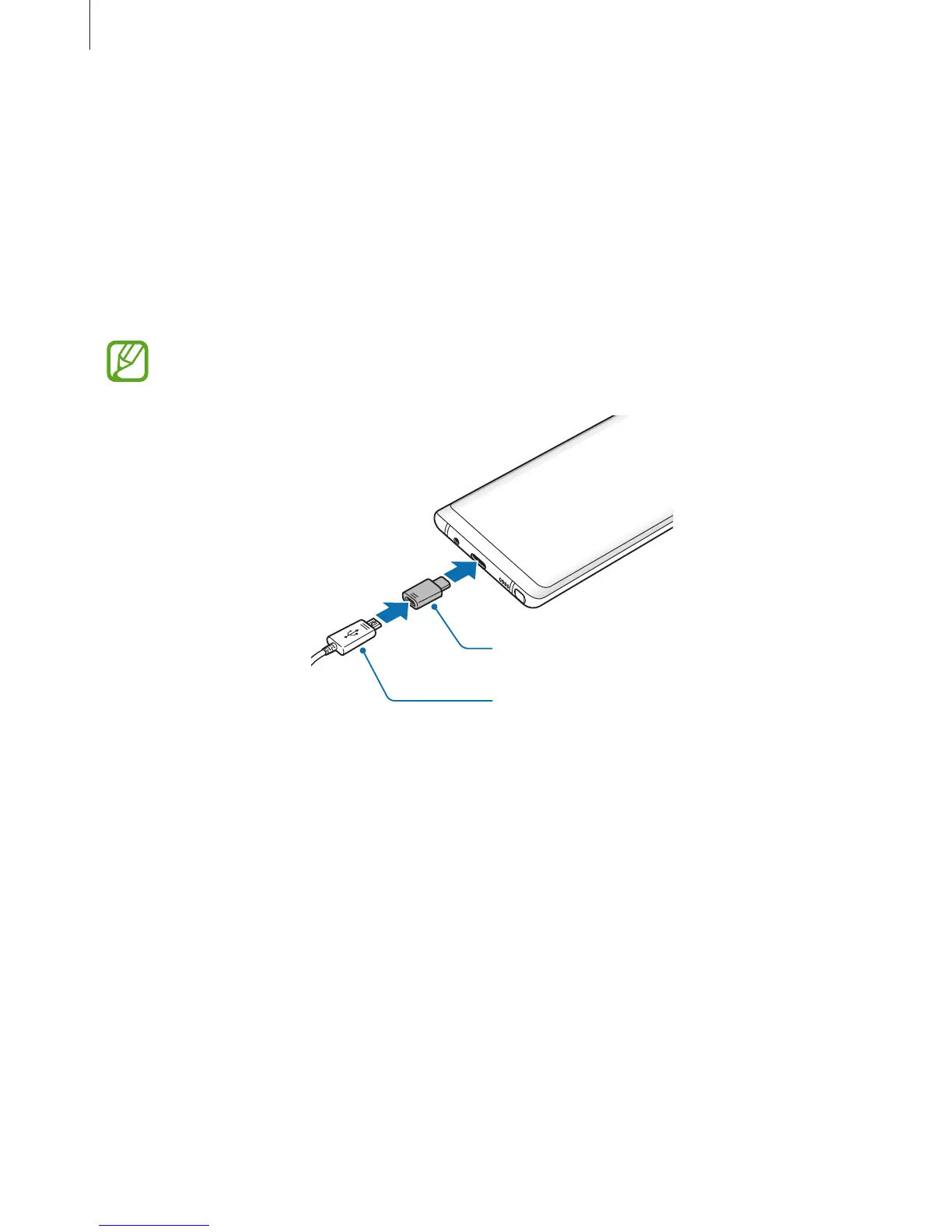
Charging with a Micro USB cable
Connect the Micro USB connector to charge the battery with a Micro USB cable. Do not plug a
Micro USB cable into your device’s multipurpose jack. Doing so may damage the device.
The Micro USB connector is used for charging the battery and connecting to a
computer via the Micro USB cable.
Micro USB Connector
Micro USB Cable













 To Next Page