Apps and features
206
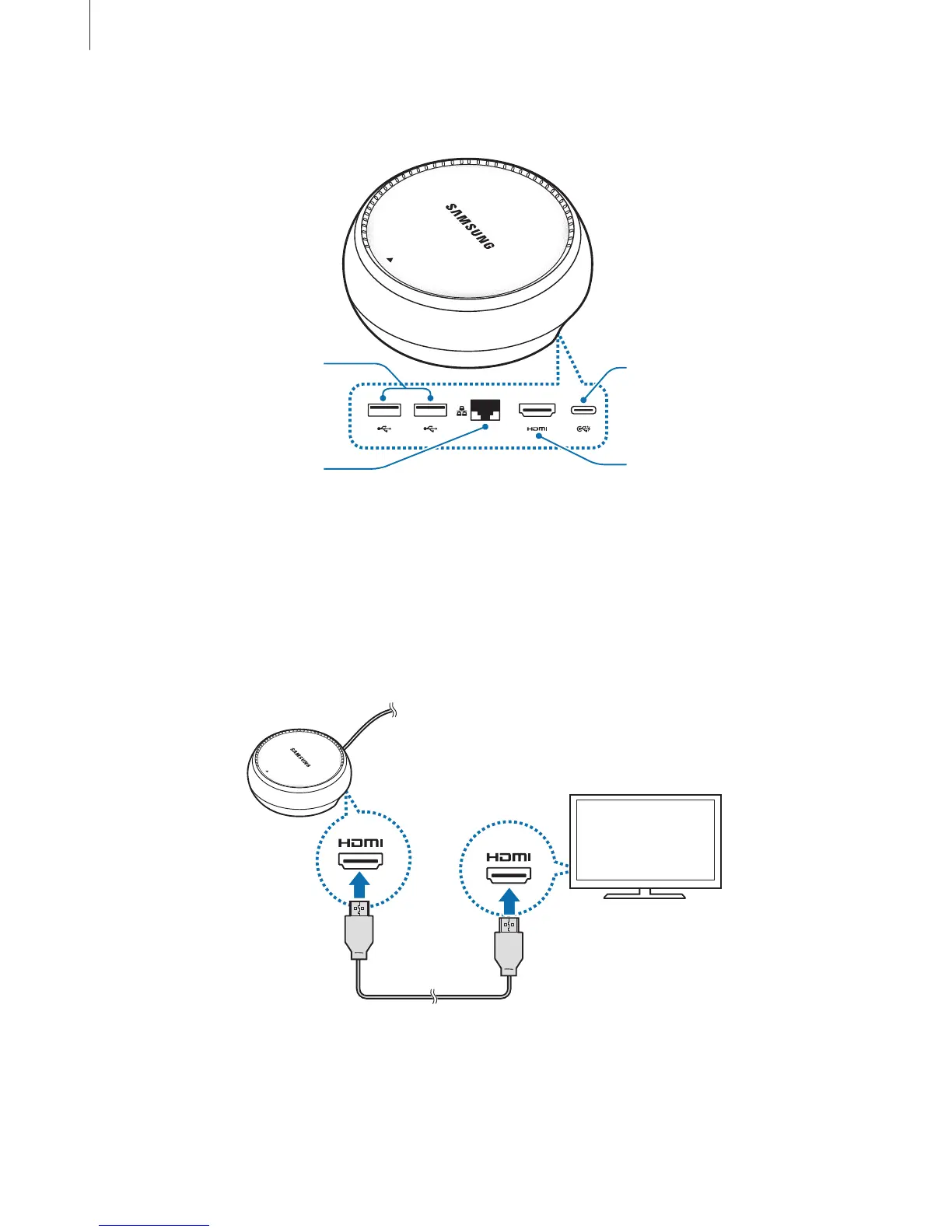
DeX Station device layout
USB port
Wired LAN port
HDMI port
Charger port (USB
Type-C)
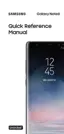
Connecting devices
1
Connect the charger to the DeX Station’s charger port (USB Type-C).
2
Connect one end of the HDMI cable to the DeX Station’s HDMI port, and plug the other
end of the cable into a TV or monitor’s HDMI port.
3
To use a wired network, connect the wired LAN to the wired LAN port.
You can use your smartphone’s wireless data or a Wi-Fi network if you do not connect to
the wired LAN.






 To Next Page