GH68-54283A
Printed in Korea
Read this document before operating the device
Terms & Conditions
Quick
Start
Guide
and
Terms &
Conditions
Quick
Start
Guide
and
Terms &
Conditions
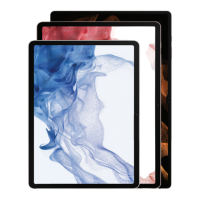
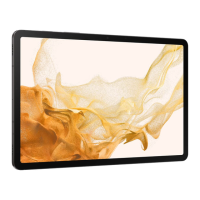
Your device
Use only Samsung-approved chargers and
cables. Damage caused by use of accessories not
approved by Samsung is not covered by warranty.
Do more
Find the user manual
on your device
Get help
samsung.com/us/support
youtube.com/samsungcare
samsung.com/us/support/simulators
Scan the code
with your old device for more
information on how to switch
or visit
kaywa.me/switchtogalaxy
Read this document before operating the
mobile device, accessories, or software
(dened collectively and individually as the
“Product”) and keep it for future reference.
This document contains important
Terms and Conditions. Electronic
acceptance, opening the packaging, use,
or retention of the Product constitutes
acceptance of these Terms and Conditions.
You can obtain a copy of the complete
Terms and Conditions and Samsung
Standard One-year Limited Warranty by
contacting Samsung at the address or phone
number provided in this document.
Arbitration Agreement - This Product is
subject to a binding Arbitration Agreement
between you and SAMSUNG ELECTRONICS
AMERICA, INC. (“Samsung”). You can opt out
within 30 calendar days of purchase: email
optout@sea.samsung.com or call
1-800-SAMSUNG (726-7864) and providing
the applicable information.
Camera
S Pen
Side key
Camera
Volume
Charging port
microSD™ card sold separately
Get connected
Connect your device to Wi-Fi
tap Settings > Connections > Wi-Fi
Follow setup screens
and transfer content to your new device
Settings Tips and help

 Need help?









 To Next Page
 General