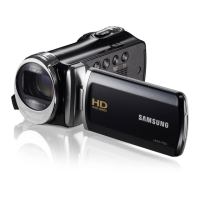
STEP 2: Record videos and photos
1
Open the LCD screen and press the [Power ( )] button to turn
on the camcorder.
•
Set the [Lens cover open/close] switch to open ( ).
page 15
2
To record videos, press the [Recording start/stop] button or,
to record photos, press the [PHOTO] button.
pages 35, 38
This quick start guide introduces the basic operation and features of your camcorder. See the reference pages for more information.
[Recording
start/stop]
button
[Recording
start/stop]
button



 To Next Page
 Loading...