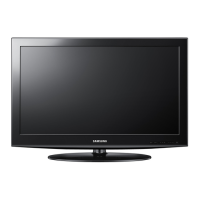
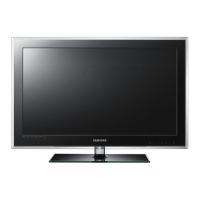
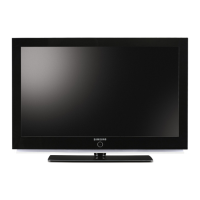
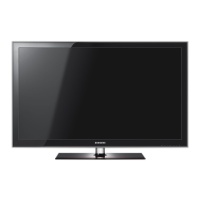
This is a user manual for a Samsung LCD TV, specifically models LE32D400E, LE32D403E, and LE40D503F. It covers various aspects of the TV's functionality, installation, and maintenance.
Function Description
The Samsung LCD TV is designed for receiving and playing television programs, as well as displaying information from additional equipment such as USB devices and various players. It features a built-in HD digital tuner, allowing for the viewing of free-to-air HD broadcasts without the need for an additional cable box or set-top box satellite receiver. The TV supports both analogue (B/G, D/K, L, I, PAL, SECAM, NTSC-4.43, NTSC-3.58, PAL60) and digital (DVB-T/DVB-C, MPEG-2 MP@ML, MPEG-4, H.264/AVC MP@L3, MP@L4.0, HP@L4.0) TV systems. Sound systems supported include BG, DK, L, NICAM, MPEG1, DD, DD+, and HEAAC.
The TV includes a remote control for easy operation, allowing users to turn the TV on/off, select channels, adjust volume, access the main on-screen menu, display channel lists, and view the Electronic Programme Guide (EPG). The remote also features buttons for Teletext functions, picture size selection (P.SIZE), and audio description (AD/SUBT). The TV's control panel provides basic buttons for power, source selection, menu access, volume adjustment, and channel changing.
The e-Manual, accessible via a dedicated button on the remote or through the TV's menu (MENU → Support → e-Manual), provides comprehensive instructions on all TV features. It allows users to navigate through categories and topics, with options to "Try Now" to access corresponding OSD menus directly, zoom into content, and search for keywords using an index.
The TV supports various input sources, including Ext., HDMI1/DVI, HDMI2, and USB. The "Source List" allows users to select between these inputs. The "Edit Name" function enables users to assign custom names to external input sources for easier identification. For paid channels, a "CI or CI+ CARD" can be inserted into the COMMON INTERFACE slot.
Important Technical Specifications
- Display Resolution:
- LE32D400E / LE32D403E: 1360 x 768 @ 60Hz (Optimal)
- LE40D503F: 1920 x 1080 @ 60Hz (Optimal)
- Screen Size:
- LE32D400E / LE32D403E: 32 inches
- LE40D503F: 40 inches
- Sound Output: 10 W x 2 for all models.
- Dimensions (WxDxH):
- LE32D400E: Body: 784.4 x 88.8 x 502.9 mm; With stand: 784.4 x 182.4 x 545.3 mm
- LE32D403E: Body: 784.4 x 98.1 x 502.9 mm; With stand: 784.4 x 182.4 x 545.3 mm
- LE40D503F: Body: 970.0 x 98.1 x 586.6 mm; With stand: 970.0 x 206.9 x 629.1 mm
- Weight:
- LE32D400E: Without Stand: 8.1 kg; With Stand: 9.2 kg
- LE32D403E: Without Stand: 7.7 kg; With Stand: 8.7 kg
- LE40D503F: Without Stand: 11.6 kg; With Stand: 13.3 kg
- Environmental Considerations:
- Operating Temperature: 10°C to 40°C (50°F to 104°F)
- Operating Humidity: 10% to 80%, non-condensing
- Storage Temperature: -20°C to 45°C (-4°F to 113°F)
- Storage Humidity: 5% to 95%, non-condensing
- HDMI IN: Video: 1080 24p, 1080p, 1080i, 720p, 576p, 480p; Audio: 2Ch Linear PCM 32/44.1/48kHz, 16/20/24bits.
- VESA DMT / DTV CEA Supported Resolutions: Various resolutions from 640x350 to 1920x1080p, with corresponding horizontal/vertical frequencies and pixel clock frequencies.
- IP Rating: IP 20 (protection against solid objects 12.5mm and greater, no protection against liquids).
- Power Supply: AC 110-240V.
Usage Features
- Initial Setup (Plug & Play): Upon first power-on, the TV guides the user through basic settings like language, country, clock mode, antenna selection, and channel tuning. It offers a "Home Use" mode for standard viewing and a "Store Demo" mode for retail environments.
- Connecting to AV Devices: The TV can be connected to various AV devices (DVD, Blu-ray player, HD cable box, VCR, etc.) using HDMI or SCART cables. For HDMI/DVI connections, it's recommended to use certified high-speed HDMI cables.
- Connecting to PC and Audio Devices: Headphones can be connected to the dedicated output, disabling the built-in speakers. The TV can also be connected to a PC using an HDMI or HDMI-to-DVI cable.
- Still Image Warning: To prevent image retention or screen burn-in, users are advised to avoid displaying still images for long periods, use full-screen image formats, and reduce brightness/contrast settings.
- Standby Mode: For prolonged periods of inactivity, it's recommended to unplug the power cord to minimize electricity consumption.
- PIN Code Reset: If the PIN code is forgotten, it can be reset by pressing MUTE→8→2→4→POWER (on) in standby mode.
Maintenance Features
- Installation Space: Maintain required distances from other objects (e.g., walls) to ensure proper ventilation and prevent overheating.
- Stand and Wall-Mount Installation: Use only Samsung-provided parts for stand or wall-mount installation. For wall-mounts, ensure secure fastening to a solid wall and do not exceed a 15-degree tilt. For 32 inches or above, attach the Guide Stand as shown in the manual.
- Cleaning: Do not spray water or cleaning agents directly onto the product. Use a soft cloth dampened with a small amount of water to clean the TV.
- Firmware Updates: The TV's firmware can be updated via USB from the Samsung website (samsung.com -> Support -> Downloads) to ensure optimum performance.
- Troubleshooting: The manual provides a troubleshooting guide for common issues like the TV not turning on, no picture/video, or remote control malfunction. If issues persist, users are directed to the Samsung customer service center or website.

 Need help?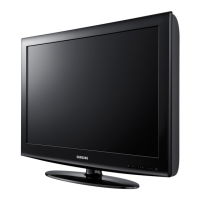



 To Next Page
 General