EasyManua.ls Logo

Samsung LN32B650 - Page 8

Samsung LN32B650
174 pages
Print Icon
To Next Page IconTo Next Page
To Previous Page IconTo Previous Page
Loading...
English - 6
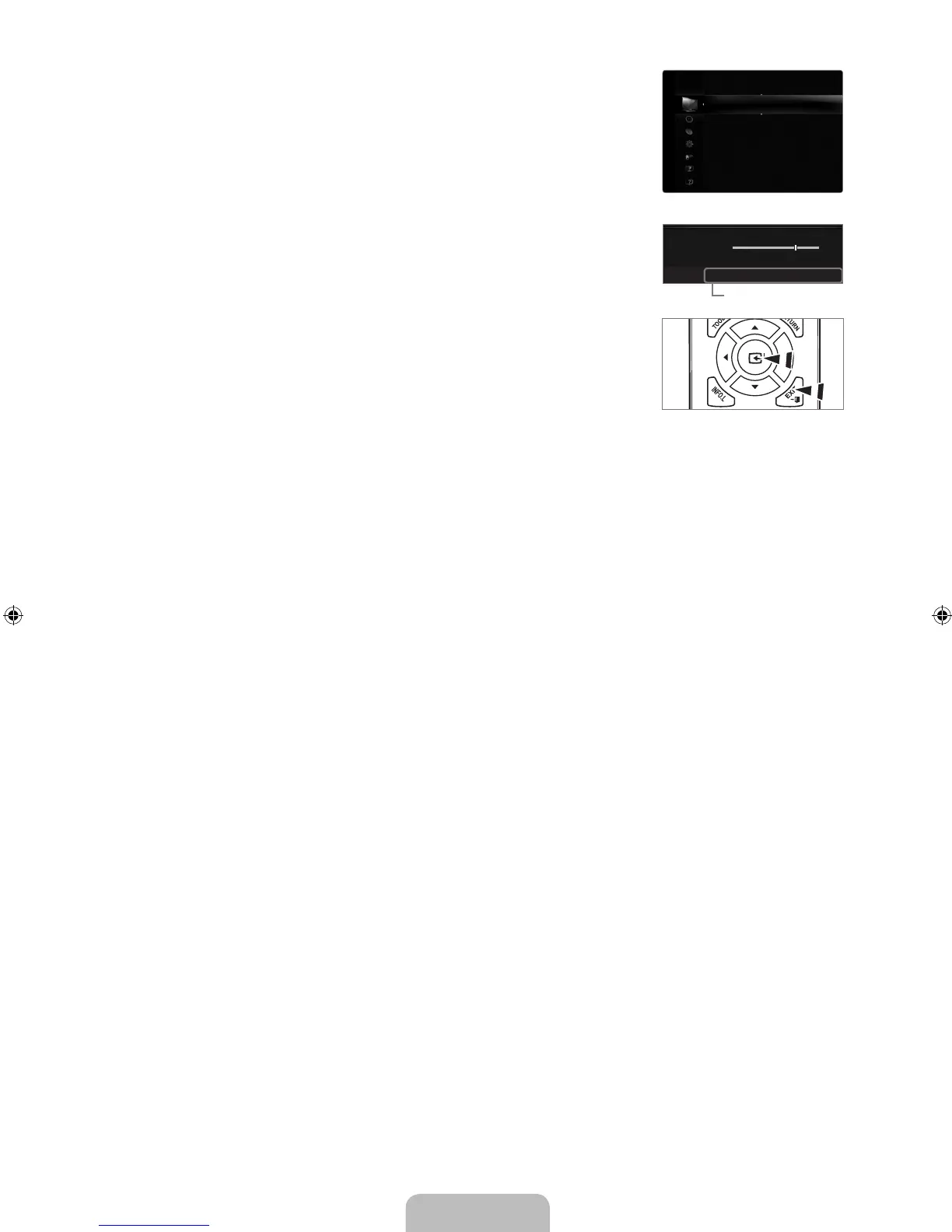
4. Then press the ENTER
E
button to access the icon’s sub-menu.
5.
Press the ▲ or ▼ button to select the icon’s submenu.
6.
Press the ◄ or ► button to decrease or increase the value of a particular item. The
adjustment OSD may differ depending on the selected menu.
7.
Press the ENTER
E
button to complete the configuration. Press the EXIT button to exit.
Mode :Standard
Backlight :7
Contrast :95
Brightness :45
Sharpness :50
Color :50
Tint(G/R) :G50/R50
AdvancedSettings
PictureOptions
Picture
7
U
Move
L
Adjust
E
Enter
R
Return
▲
Backlight
▼
Help icon
[640-NA]BN68-02089F-Eng.indb 6 2009-03-30 �� 3:46:59

Table of Contents

Other manuals for Samsung LN32B650

Related product manuals