S
ETTING
U
P
Y
OUR
P
RINTER
2.6
Loading Paper
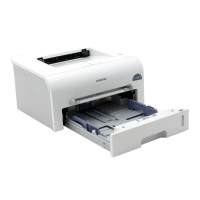
You can load approximately 250 sheets of paper in the tray.
1
Pull the tray out of the printer.
Note: Because the printer is very light, it may be moved when you
use it; for example, when opening/closing the tray or installing/
removing the toner cartridge. Be careful not to move the printer.
2
Push down the pressure plate until it locks in position.
3
Prepare a stack of paper for loading by flexing or fanning
them back and forth. Straighten the edges on a level
surface.



 To Next Page
 Loading...