3-10 Samsung Electronics
No Parts Procedure Remark
1 Common Work
&
Control Out
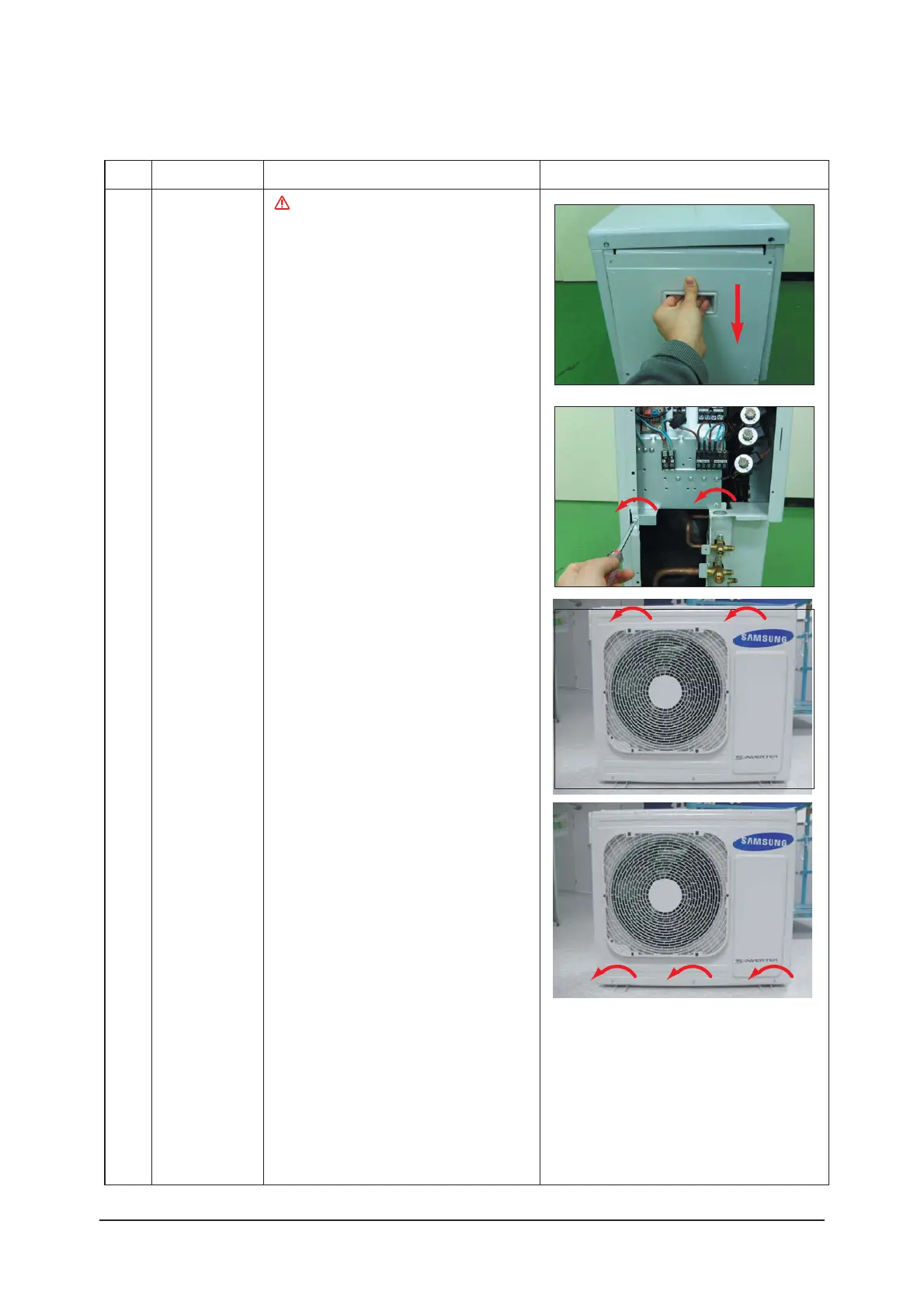
1) Loosen 7 fixing screws and detach the
Cabinet side RH. (Use +Screw Driver.)
2) Detach the Cable-Connector Wire from
the Terminal-Block.
3) Loosen 2 fixing screws of the Ass'y
Control Out. (Use +Screw Driver.)
4) Loosen 6 fixing screws and detach the
Cabinet Upper. (Use +Screw Driver.)
5) Loosen 2 fixing screws, 7 bolts and
detach the Cabinet Front.
(Use +Screw Driver.)
3-1-3 RJ060F3HXEA(B)/RJ070F4HXEA/RJ080F4HXEA/AJ068FCJ3EH/AJ070FCJ4EH/AJ080FCJ4EH
:PVNVTUUVSOPõUIF1PXFSCFGPSF
EJTBTTFNCMZ



 To Next Page