EasyManua.ls Logo

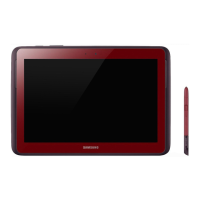
Samsung note 10.1 - User Manual

Samsung note 10.1
4 pages
Print Icon
To Next Page IconTo Next Page
Loading...
GALAXY Note 10.1 Quick Card
Quick Start Guide - Getting to know your new tablet
Volume Key
Power/Standby
/Lock Key
Headset
Jack
Charger/Accessory Port
Top
Bottom
Power/Standby Key
Ambient
Light Sensor
Front Camera Lens
Rear Camera Lens Flashbulb
Speaker
Speaker
Back
Touch
screen
Back
Key
Home Key
Mini Apps Tray
Network
Strength Battery
Power
S Pen Charger/Accessory Port
Samsung GALAXY Note 10.1 - Quick Start Guide: Page 1 of 3
Hardware and connectivity issues should first be directed to your Unit Manager. If issues persist,
please send the issue to: mobiledevicequestions@acosta.com
Question and Answer IconNeed help?

Do you have a question about the Samsung note 10.1 and is the answer not in the manual?

Samsung note 10.1 Specifications

General IconGeneral
BrandSamsung
Modelnote 10.1
CategoryTablet
LanguageEnglish

Related product manuals