5 Troubleshooting
LW22A13W 5-3
CONFIDENTIAL
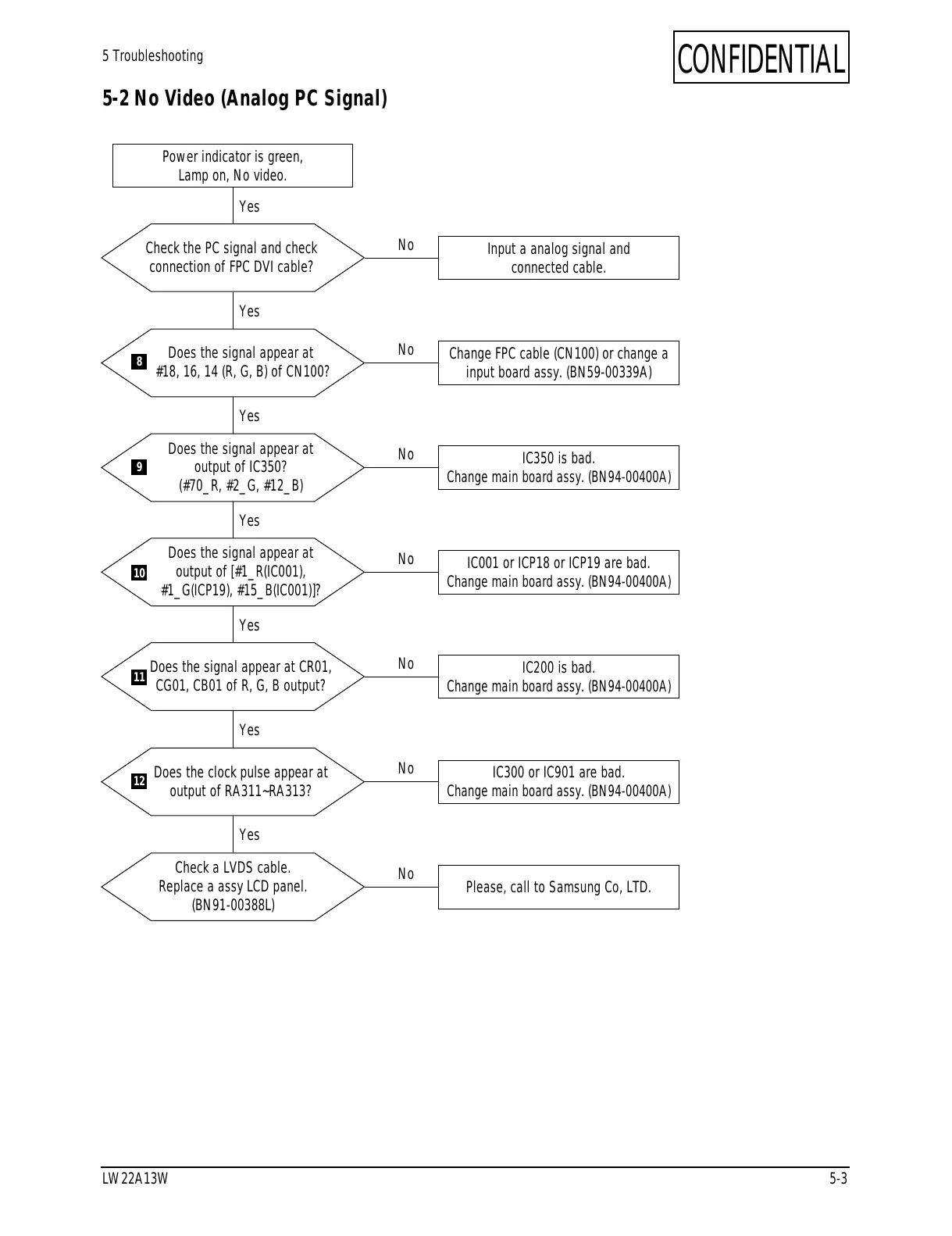
5-2 No Video (Analog PC Signal)
Check the PC signal and check
connection of FPC DVI cable?
Input a analog signal and
connected cable.
Power indicator is green,
Lamp on, No video.
Yes
Yes
No
Does the signal appear at
#18, 16, 14 (R, G, B) of CN100?
Change FPC cable (CN100) or change a
input board assy. (BN59-00339A)
Yes
No
Does the signal appear at
output of IC350?
(#70_R, #2_G, #12_B)
IC350 is bad.
Change main board assy. (BN94-00400A)
Yes
No
Does the signal appear at
output of [#1_R(IC001),
#1_G(ICP19), #15_B(IC001)]?
IC001 or ICP18 or ICP19 are bad.
Change main board assy. (BN94-00400A)
Yes
No
Does the signal appear at CR01,
CG01, CB01 of R, G, B output?
IC200 is bad.
Change main board assy. (BN94-00400A)
Yes
No
Does the clock pulse appear at
output of RA311~RA313?
IC300 or IC901 are bad.
Change main board assy. (BN94-00400A)
Yes
No
Check a LVDS cable.
Replace a assy LCD panel.
(BN91-00388L)
Please, call to Samsung Co, LTD.
No
8
9
10
11
12






 To Next Page