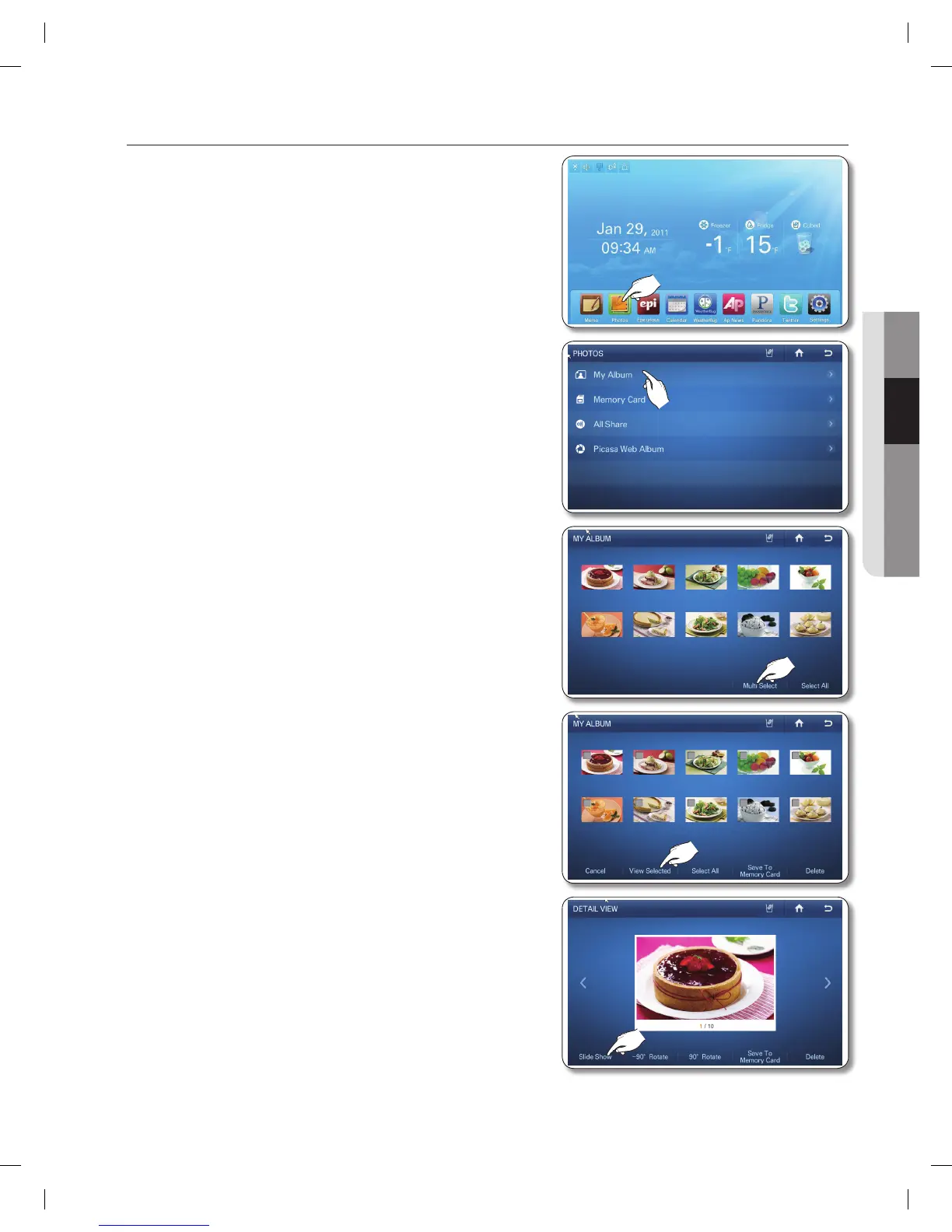
How to run a the slide show.
1. Touch the Photos button on the Home screen.
2. Touch My Album in the Photos list.
3. Touch the Multi Select button.
4. Touch the photos you want for the slide show, and then
touch the View Selected button.
(Select more than two photos.)
• When you select a photo, its detail information will
appear.
5. Touch the Slide Show button.
• Depending on a photo's size (Width x Height), the
screen may display blank bars on the top or sides of
the image.






 To Next Page