English 51
Operations
NOTE
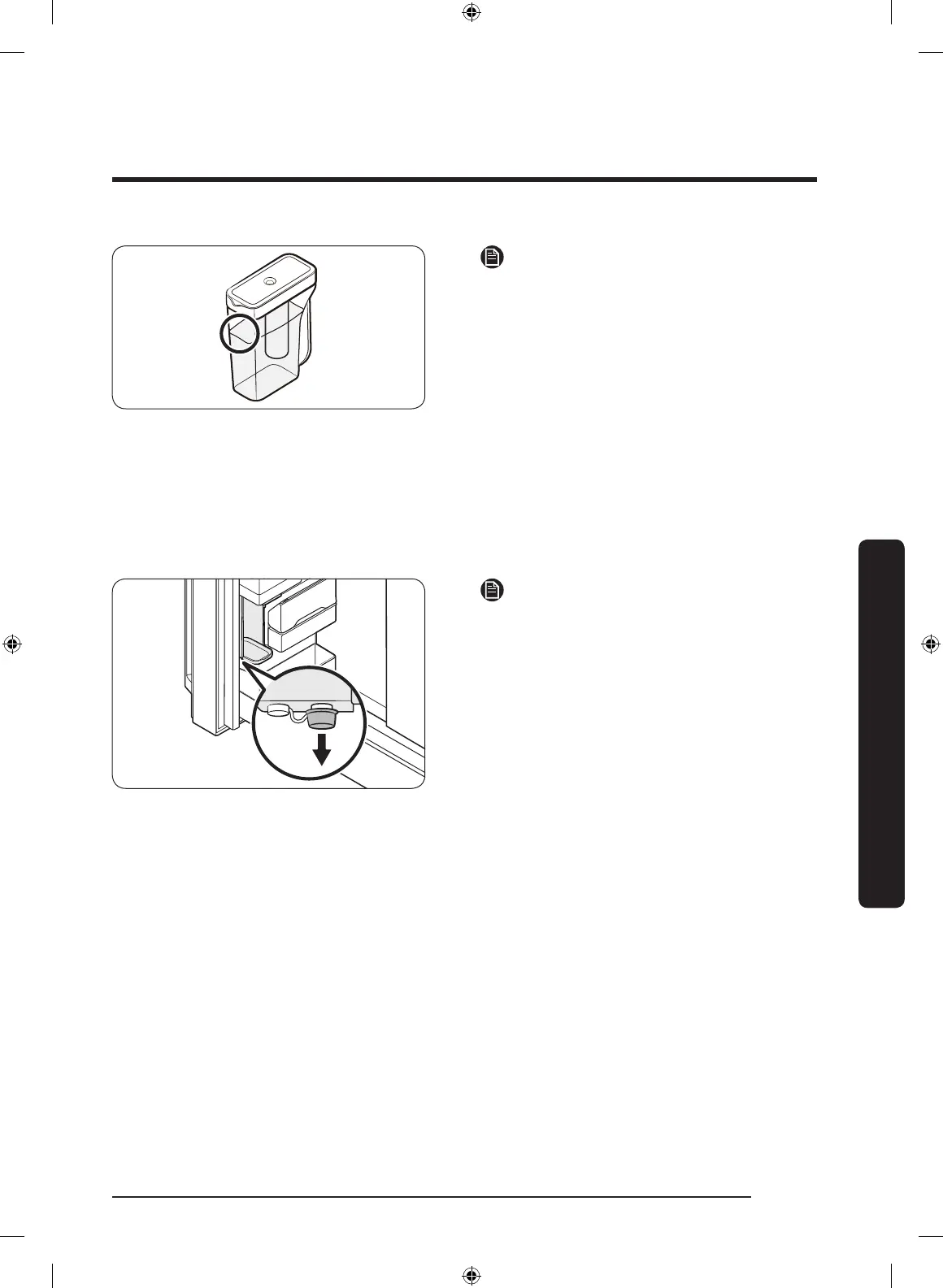
• If the front side (specically marked
area) of the water tank has too much
moisture, the water tank may not fully
ll. Remove the moisture, and then try
again.
• Auto Water Fill will stop supplying
water for the water tank if the water
tank does not ll after a certain amount
of time. If this happens, check if the
water line is properly connected.
Remove and reinsert the water tank,
and then try again.
NOTE
• Wipe around the infuser holder if the
infuser overows or leaks.
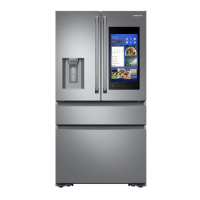
• Water drops off if the rubber cap is
opened.
• If there is a leak, a warning message
appears and "Overowing" displays
on the Auto Water Fill Status. In case
of a leak, open the rubber cap to drain
the water. The "Overowing" status
will then change. However, if the
"Overowing" status remains, there
could be a system failure. Contact your
local Samsung service center.
Water/Ice dispenser
Using the dispenser, you can dispense water with or without ice.
The water dispenser offers 3 options: chilled water, cubed ice, and crushed ice. To
dispense chilled water, press Water on the dispenser panel. Put a water glass under the
dispenser, and then push the dispenser lever.
Untitled-1 51 2020-04-09 AM 10:49:08



 To Next Page