English70
Troubleshooting
Before calling for service, review the checkpoints below. Any service calls regarding
normal situations (No Defect Cases) will be charged to users.
General
Temperature
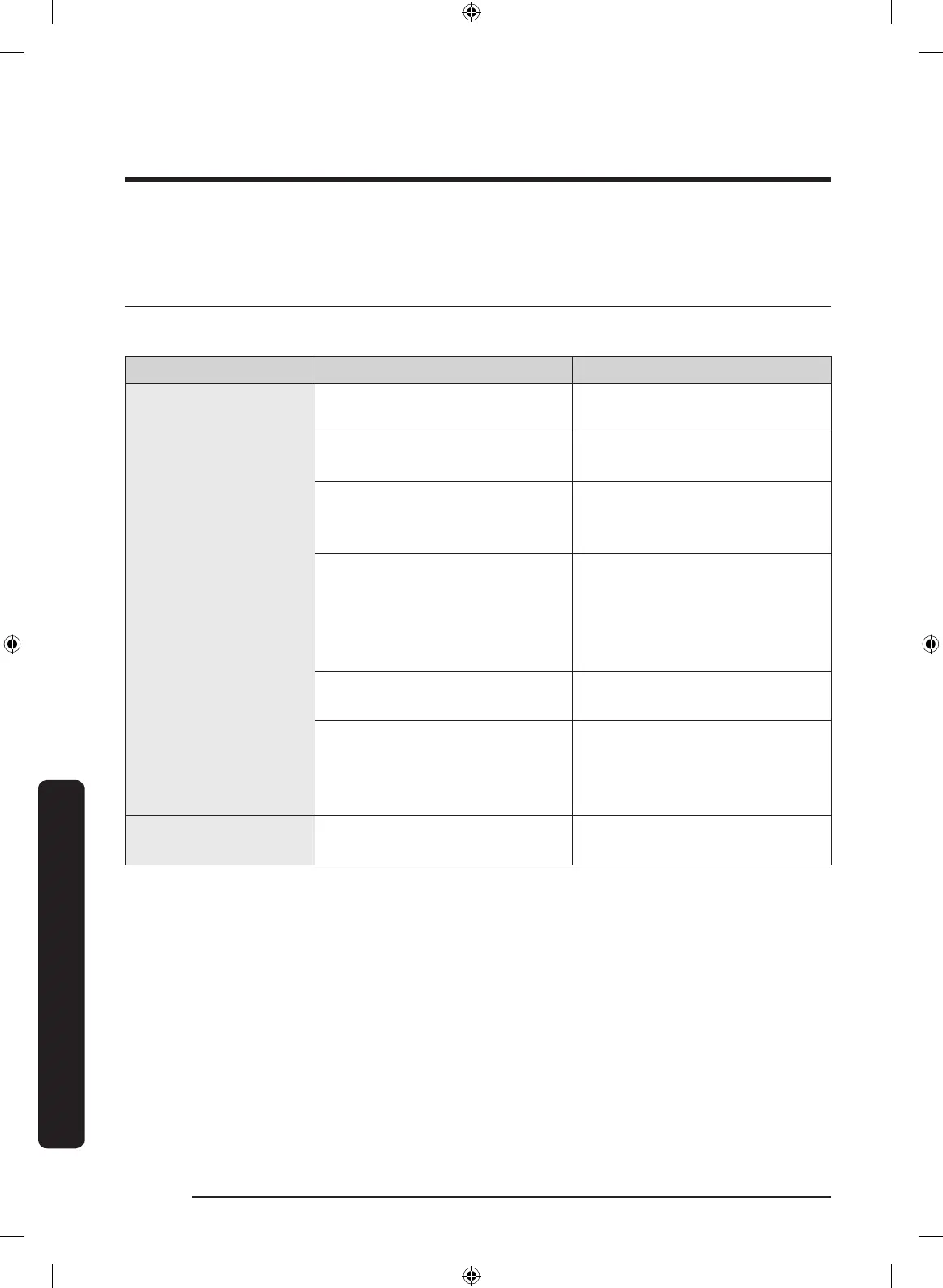
Symptom Possible causes Solution
Fridge/freezer does
not operate.
Fridge/freezer
temperature is warm.
• Power cord is not plugged
in properly.
• Properly plug in the power
cord.
• Temperature control is not
set correctly.
• Set the temperature lower.
• Refrigerator is located near
a heat source or direct
sunlight.
• Keep the refrigerator away
from direct sunlight or a
heat source.
• Not enough clearance
between refrigerator and
nearby walls or cabinets.
• Make sure there is a gap of
at least 2.5 inches (5 cm)
between the refrigerator
back and sides and any
nearby walls or cabinets.
• Energy Saver mode is
activated.
• Deactivate Energy Saver
mode.
• The refrigerator is
overloaded. Food is
blocking the refrigerator
vents.
• Do not overload the
refrigerator. Do not allow
food to block vents.
Fridge/freezer is
over-cooling.
• Temperature control is not
set correctly.
• Set the temperature higher.
Troubleshooting
Untitled-1 70 2020-04-09 AM 10:49:15



 To Next Page