Troubleshooting
English90
Troubleshooting
Symptom Possible causes Solution
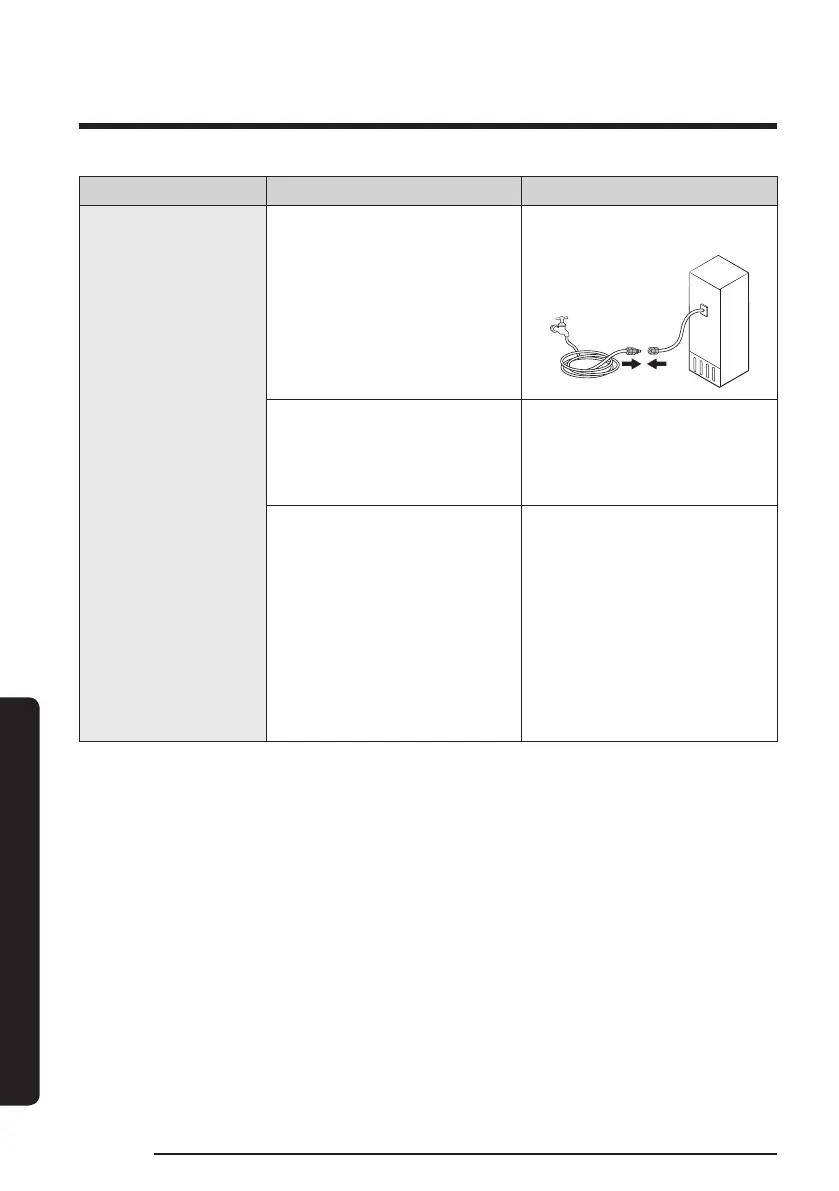
Water does not
dispense.
• Water line is not connected
properly or water supply is
not on.
• Check the water installation
conditions.
• A third-party water lter
was installed.
• Use only Samsung-provided
or approved lters.
• Unapproved lters may
leak and damage the
refrigerator.
General type
• The “Replace water lter”
message appars on the
main panel.
Family Hub type
• The water lter indicator
turns on red.
General type
• Replace the water lter.
Then on the main panel, go
to Settings, and then run
Filter Reset.
Family Hub type
• Replace the water lter.
After replacing, reset the
lter in Fridge Manager
> Fridge Settings > Water
Filter.



 To Next Page