ENGLISH
FRANÇAIS
6161
Perfectionnez vos enregistrements
Advanced Recording
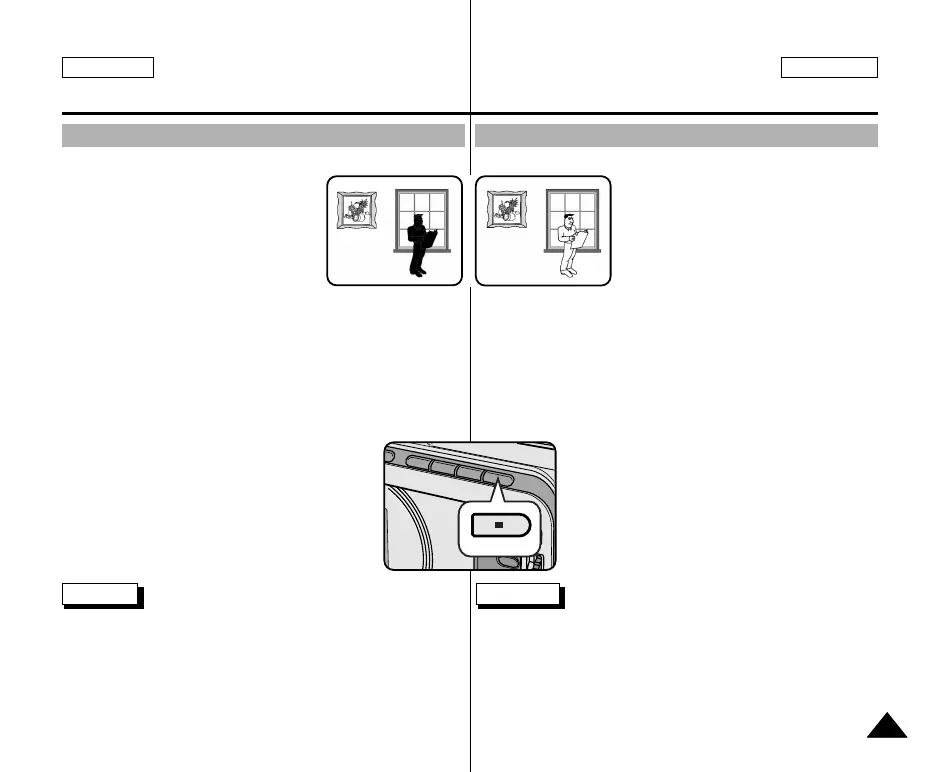
✤ BLC works in CAMERA/M.REC mode.
✤ Back lighting exists when the subject is
darker than the background:
■
The subject is in front of a window.
■
The person to be recorded is
wearing white or shiny clothes and
is placed against a bright
background; the person’s face is too
dark to distinguish his/her features.
■
The subject is outdoors and the background is overcast.
■
The light sources are too bright.
■
The subject is against a snowy background.
1. Set the power switch to CAMERA mode.
2. Press the BLC button.
■
Normal - BLC - Normal
■
BLC enhances the subject.
Notes
■
When NITE PIX to set to ON, the BLC function does not work.
■
The BLC function will not operate in EASY mode.
* BLC on* BLC off
BLC (Back Light Compensation)
Contre-jour intelligent (BLC)
✤ La fonction BLC n’est disponible qu’en
mode caméscope et enregistrement
photo.
✤ Un contre-jour apparaît lorsque le sujet
est plus sombre que son environnement:
■
Le sujet est à contre-jour.
■
La personne filmée porte des
vêtements clairs ou brillants alors que
l’arrière-plan est lumineux:
son visage devient trop sombre.
■
Le sujet est à l’extérieur et l’arrière-
plan est un ciel couvert.
■
Les sources lumineuses sont trop vives.
■
L'arrière-plan est enneigé.
1. Réglez le caméscope sur CAMERA.
2. Appuyez sur la touche BLC.
■
Normal - BLC - Normal
■
BLC met en évidence le sujet.
Important
■
Le contre-jour intelligent ne fonctionne pas lorsque la fonction de
capture de nuit (NITE PIX) est activée.
■
Cette fonction n’est pas disponible en mode d’enregistrement
simplifié (EASY).
00743B SCD103 USA+FRA(60~107) 2/16/04 5:15 PM Page 61



 To Next Page
 Loading...